Best Linux Distros 2026, Full Guide for Beginners, Developers, Gamers & Servers
Match your hardware, workflow, and skill to the right Linux distro in 2026. Compare 23 top picks, Mint, Ubuntu, Fedora, Arch, Bazzite, covering beginners, developers, gamers, and servers.
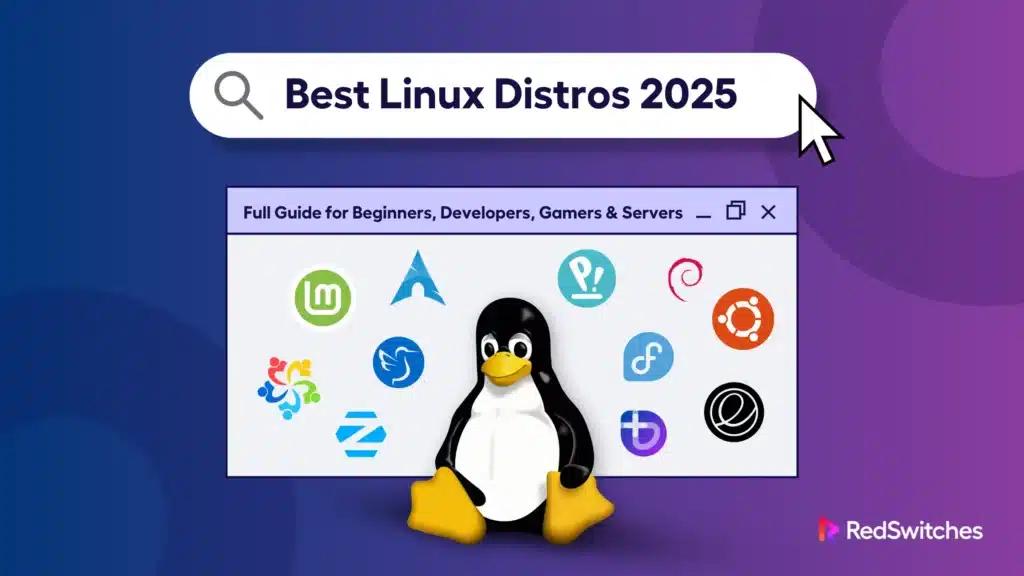
A Linux distribution, or distro, is a packaged version of the Linux operating system that includes the kernel, desktop environment, and essential tools.
In 2026, choosing the best Linux distro matters because hardware, workloads, and user needs are more diverse than ever. Linux holds 3.93% of the global desktop OS marketshare, steadily maintaining its niche presence worldwide.
Linux distros are “flavors” of the same core system, some built for ease, others for stability or performance. They can revive old laptops, power servers, or support gaming, with popular options like Ubuntu, Fedora, and Linux Mint.
Newer trends include immutable builds for security and gaming-focused distros from the Steam Deck ecosystem.
Developers often pick AI-ready builds with CUDA or ROCm, while enterprises trust Debian or RHEL for stability.
Key Takeaways
- There is no single best Linux distro; the right choice depends on your needs.
- Linux Mint and Ubuntu LTS are the easiest options for beginners.
- Fedora and Arch Linux are best for developers who want cutting-edge tools.
- Bazzite and Pop!_OS lead for gaming with driver and Steam support.
- Debian, AlmaLinux, and Rocky Linux remain the most stable server choices.
- Lightweight distros like Lubuntu and AntiX revive older PCs.
- Qubes OS and Tails are best for privacy-focused users.
- Immutable distros such as Silverblue and VanillaOS are shaping the future of Linux.
- Always match the distro to your experience, hardware, and use case.
- Running Linux on enterprise-grade servers ensures stability and scalability for serious projects.
Best Linux Distros 2026
Comparison Table: Best Linux Distros 2026
| Item | Best for | Key features | Limitations | Cost/Time | Our verdict |
|---|---|---|---|---|---|
| Linux Mint 22.x | Beginners, Windows switchers | Cinnamon desktop, codecs, Timeshift | Slower updates | Free / ~20 min install | Smooth entry point |
| Ubuntu 24.04 LTS | General users, enterprises | Long-term support, huge community | Heavier on old hardware | Free / ~25 min install | Reliable & stable |
| Zorin OS 17 | Windows/macOS migrants | Familiar layouts, polished UI | Smaller community | Free / ~20 min install | Best for switchers |
| elementary OS 8 | Minimalist users | macOS-like, simple workflows | Limited customization | Free / ~15 min install | Clean & distraction-free |
| Fedora 42 | Developers, testers | Cutting-edge stacks, GNOME 48, Wayland | Short support cycle | Free / ~25 min install | Best for devs |
| Arch Linux | Advanced users | Rolling release, AUR, customization | Steep learning curve | Free / 1–2 hrs setup | For power users |
| Pop!_OS | ML devs, gamers | Nvidia/AMD drivers, COSMIC desktop | Smaller ecosystem | Free / ~25 min install | Best hybrid choice |
| Debian 13 ‘Trixie’ | Servers, enterprise dev | Ultra-stable, predictable releases | Older software packages | Free / ~30 min install | Rock-solid stability |
| AlmaLinux/ Rocky | Enterprise RHEL replacement | RHEL-compatible, secure, supported | Fewer desktop features | Free / ~30 min install | Best CentOS successor |
| Bazzite/ Nobara | Gaming setups | Steam-ready, codecs pre-installed | Less general-purpose | Free / ~20 min install | Best gaming pick |
| Lubuntu/AntiX | Old/low-spec PCs | Lightweight, fast boot | Limited modern UI polish | Free / ~15 min install | Revives old PCs |
| Qubes/ Tails | Privacy/security users | App isolation, Tor routing | Performance trade-offs | Free / varies | Best for privacy |
No single distro fits everyone. Mint and Ubuntu are safest for beginners, Fedora/Arch serve developers, and specialty builds (like Bazzite or Tails) excel in niche use cases. Your choice depends on hardware, use case, and comfort with Linux complexity.
Run Linux at Peak Performance
Deploy RedSwitches bare metal servers optimized for Linux workloads. Get unmatched uptime, fast provisioning, global data centers, and 24/7 expert support.
For Beginners: User-Friendly Linux Distros in 2026
Choosing the best Linux distro for beginners comes down to ease of use, community support, and out-of-the-box features. Here are the top picks for 2026.
Linux Mint 22.x (Cinnamon)
Mintfeels familiar for Windows users. It comes with media codecs pre-installed and the Timeshift backup tool for safety. The Cinnamon desktop is stable and intuitive.
Ubuntu 24.04 LTS
Ubunturemains the best Linux operating system for long-term stability. With a massive global community, support and tutorials are always available. It’s ideal for learners who want an easy entry point with reliable updates.
Zorin OS 17
ZorinOS offers Windows- and macOS-style layouts. It’s designed for smooth switching, making it less intimidating for new users. The interface feels polished and friendly.
Elementary OS 8
Elementary OS is sleek and minimalist. Its design mirrors macOS, with a focus on simplicity and clean workflows. Perfect for users who value aesthetics alongside function.
Common Errors & Fixes
- Confusing desktop layouts → Explore settings to switch themes.
- Missing apps → Use Software Center or Flatpak.
- Driver issues → Run sudo apt update && sudo apt upgrade.
Pro tip: As beginners grow, hosting Linux on enterprise-grade servers ensures scalability and reliability. Explore Linux Dedicated Hostingwith RedSwitches to power larger projects.
For Developers & Programmers: Distros Built for Coding
The best Linux distros for developers combine stability, modern toolchains, and flexibility. Whether you’re coding, managing containers, or training ML models, they provide the right environment, like a startup running AI on Ubuntu for its rich ecosystem while hosting it on bare metal for reliability.
Fedora 42 (GNOME 48, DNF5)
GNOME 48 (Fedora 42), Wayland-first; DNF5 (default since Fedora 41); ~13-month release cycle. Fedora delivers cutting-edge stacks with Wayland-first support and Secure Boot by default. Ideal for developers who want the newest compilers, libraries, and containers without waiting for LTS cycles.
Arch Linux / EndeavourOS
For advanced users, Archoffers a rolling release model with the Arch User Repository (AUR). It’s highly customizable and perfect for building tailored programming environments. EndeavourOS provides an easier installer while keeping Arch’s flexibility.
Pop!_OS (COSMIC)
Pop!_OS22.04 LTS with tiling tools and separate NVIDIA ISO; COSMIC (Rust) enters public beta Sept 25, 2025. Pop!_OS is developer-friendly, especially for ML workflows. It integrates Nvidia and AMD drivers seamlessly and features a tiling window manager for productivity. Great for coders who also experiment with AI.
Debian 13 “Trixie”
Debian 13 ‘Trixie’ (stable, released Aug 9, 2025; 13.1 on Sept 6, 2025) is trusted for its stability and predictability. It’s a solid base for servers, dev environments, or packaging workflows where consistency is key.
Pro Tip: Running containers or CI/CD pipelines? Combine your distro with bare metal servers from RedSwitches for Docker and Kubernetes projects at scale.
These are widely considered the best Linux distros for programming and a smart choice for developers in 2026.
For Servers & Enterprise Stability
The best Linux distros for servers focus on uptime, security, and long-term support. In 2026, these are the most trusted options for enterprises and sysadmins.
Debian 13 “Trixie”
Debian is known for ultra-stable releases and minimal downtime. Perfect for enterprises that prioritize reliability over bleeding-edge features.
Ubuntu 24.04 LTS
Ubuntu LTS offers 5-year standard support until June 2029, and Pro up to June 2036 (10 years of Pro + 2 years of Legacy Support). It’s one of the top Linux distros for cloud, DevOps, and enterprise-scale deployments.
AlmaLinux 9.6 / Rocky Linux 9.6
Alma linux and Rocky linux both are RHEL-compatible and designed for enterprise workloads. They’re community-driven and serve as secure, cost-effective CentOS replacements.
openSUSE Leap / Tumbleweed / Aeon
openSUSE Aeon (immutable, atomic updates; currently beta/RC). Leap is stable, Tumbleweedoffers rolling releases, and Aeondelivers atomic updates. Sysadmins value its strong tooling (YaST, Zypper).
Looking to scale enterprise workloads? Dedicated servers for Linux deployments at RedSwitches deliver the performance and uptime you need.
For Gaming
Gamers need Linux distributions with driver support, codecs, and out-of-the-box optimizations. Here are the top picks in 2026.
Bazzite
Bazziteis a SteamOS-like distro built on Fedora Atomic, tuned for handhelds and gaming rigs.
Nobara
Nobarais Fedora-based, with gaming tweaks and multimedia codecs pre-installed. Perfect for avoiding manual setup hassles.
Pop!_OS
Pop!_OS shines with Nvidia/AMD driver integration and the COSMIC desktop. Great for gaming + productivity.
ChimeraOS & Drauger OS
ChimeraOSand DraugerOS both have Console-like experiences with pre-configured Steam and game launchers. Drauger is tuned for performance with low-latency kernels.
Running multiplayer servers? RedSwitches offers unmetered servers built to handle gaming infrastructure at scale.
For Lightweight & Specialty Use Cases
Not every user needs a full-featured Linux environment. Some prefer lightweight distros for older hardware, while others want specialized distributions for privacy or creative work. Here are the standouts in 2026.
Lubuntu / AntiX
Both are designed for low-resource systems. antiXruns on very low-RAM systems (down to 256 MB with swap); Lubuntuis lightweight and suitable for older PCs.
Qubes OS / Tails
These are privacy-first Linux distributions. Qubesisolates applications into virtualized compartments, while Tailsroutes traffic through Tor for maximum anonymity.
Garuda Linux / BlueStar
GarudaLinux and BlueStarare both ideal for desktop enthusiasts; these distros deliver customized KDE Plasma environments with eye-catching themes and performance tweaks.
Ubuntu Studio
Ubuntu Studio is Perfect for content creators. Both come pre-loaded with audio, video, and graphics production tools to save setup time for musicians, editors, and designers.
These options prove that the Linux distros list is diverse, offering everything from old PC revivals to pro-grade creative desktops. For everyday use, they rank among the best Linux distributions tailored to specific needs.
Linux Trends in 2026: What’s Shaping the Future
The best Linux distributions in 2026 reflect how the ecosystem is evolving across desktops, gaming, AI, and enterprise stability. These trends are shaping what users and businesses choose.
Immutable OS Models
Distributions like Fedora Silverblue, openSUSE Aeon, VanillaOS, and NixOS embrace immutability. This design improves security, rollback safety, and predictable update, a major shift for desktops and servers.
Wayland as the Default
GNOME’s default session is Wayland; Plasma 6 is Wayland-by-default on many distros, though some (e.g.,SteamOS) still use X11 by default. It delivers smoother graphics, better touch support, and future-ready performance.
Linux Gaming Goes Mainstream
The Steam Deck ecosystem and Protoncompatibility layer make Linux gaming mainstream. Distros like Bazzite and Nobara prove that Linux can now rival Windows for gamers.
AI and ML Optimizations
Distros such as Fedora and Pop!_OS are optimized for AI workloads; they make CUDA (NVIDIA repo) and ROCm (AMD) readily installable, not preinstalled by default. This makes them attractive for developers building machine learning pipelines.
Enterprise Consolidation
Enterprises are consolidating around RHEL-compatible distros (AlmaLinux, Rocky Linux) and Debian-based systems. These choices provide stability, compliance, and predictable long-term support.
For AI-ready workloads and scalable hosting, RedSwitches offers infrastructure designed to complement modern Linux distributions.
How to Choose the Right Linux Distro for Your Needs
There’s no single best Linux distro; the right choice depends on who you are, what you need, and the hardware you run. Use these factors as a practical guide.
1. Experience Level
- Beginners: Choose friendly options like Linux Mint or Ubuntu LTS. Both are easy to install and well-documented.
- Advanced Users: Consider Arch Linux or NixOS for full customization and rolling updates.
2. Use Case
- Desktop Everyday Use: Ubuntu, Zorin OS, Linux Mint.
- Gaming: Pop!_OS, Nobara, Bazzite (Steam Deck ecosystem).
- Servers/Enterprise: Debian, AlmaLinux, Rocky Linux.
- Development/Programming: Fedora, Pop!_OS, Arch Linux.
3. Hardware Compatibility
- Old PCs & Low-Spec Hardware: Lubuntu, AntiX, lightweight and fast.
- Modern Laptops: Ubuntu 24.04 LTS, Fedora 42, strong driver support.
- Apple Silicon / ARM: Asahi Linux, Fedora ARM spins.
4. Support Model
- LTS (Long-Term Support): Ubuntu, Debian, stable for years.
- Rolling Release: Arch Linux, openSUSE Tumbleweed, always up to date.
- Immutable: Fedora Silverblue, VanillaOS, secure, rollback-friendly.
Quick Visual Decision Table
| Factor | Best Choices | Why It Fits |
|---|---|---|
| Beginner | Linux Mint, Ubuntu LTS | Easy setup, strong community |
| Gaming | Pop!_OS, Nobara, Bazzite | Optimized drivers + Proton |
| Old PCs | Lubuntu, AntiX | Lightweight, low RAM needs |
| Developers | Fedora, Arch, Pop!_OS | Latest stacks, flexible |
| Servers | Debian, AlmaLinux, Rocky Linux | Stable, enterprise-grade |
| Privacy | Qubes OS, Tails | Security-focused |
| Laptops | Ubuntu 24.04, Fedora 42 | Hardware support, battery-friendly |
**Pro Tip:**Browse forums like best Linux distro Reddit threads to see real-world user experiences. Beginners with laptops often start on Linux Mint or Ubuntu LTS, while advanced users debate Fedora vs Arch.
Which Linux Distro Should You Pick in 2026?
There’s no one-size-fits-all Linux distro; the right choice depends on your goals, hardware, and experience level. For beginners, Linux Mint or Ubuntu LTS provides an easy learning curve and strong community support. Developers and programmers will feel at home on Fedora or Arch, where cutting-edge tools and flexibility shine.
For gamers, Bazzite and Pop!_OS deliver smooth driver support and Steam Deck–ready performance. Meanwhile, server admins and enterprises should trust Debian, AlmaLinux, or Rocky Linux for unmatched stability and long-term reliability.
Whichever Linux OS download you choose in 2026, make sure it runs on hardware that can keep up. For reliable deployments, explore RedSwitches’ Linux dedicated servers and enterprise hosting solutions to scale your projects with confidence.
FAQs
Q. Which Linux distro is best overall?
Ubuntu 24.04 LTS is the best overall Linux distro in 2026 due to its stability, wide community support, and compatibility across desktops, servers, and laptops.
Q. Which is the fastest Linux OS?
AntiX and Lubuntu are among the fastest Linux distros, optimized for low-resource systems, offering lightweight desktops that run smoothly even on older hardware.
Q. What is the most stable distro of Linux?
Debian 13 “Trixie” is the most stable Linux distro in 2026, widely trusted for servers and enterprises because of its conservative updates and long-term reliability.
Q. Which distro offers the best hardware support for laptops in 2026?
Fedora 42 and Ubuntu 24.04 LTS provide the best laptop hardware support, with up-to-date drivers for Intel, AMD, and ARM-based systems.
Q. How do Ubuntu and Fedora differ for developers in 2026?
Ubuntu emphasizes long-term stability with LTS releases, making it predictable for enterprise dev environments. Fedora delivers cutting-edge stacks first, ideal for developers who need the latest compilers, libraries, and container tools.
Fatima J.
Technical Writer
Fatima is a writer who has authored a wide range of technical guides for the RedSwitches blog, covering Linux, servers, and hosting topics, with a focus on making hands-on subjects clear and approachable.
Ubuntu vs Linux: Key Differences Explained
Linux is the kernel, while Ubuntu is a complete operating system built on it. This guide breaks down their key differences, use cases, and when to choose each.

Reduce Docker Image Size: Best Practices to Slim Your Images
Docker image size can become a serious issue as you add more code to the image. Learn how to reduce Docker image size and optimize Dockerfiles for production to speed up CI/CD pipelines and improve container efficiency.

How to Create and Manage Superusers in PostgreSQL
A PostgreSQL superuser is a user with unrestricted access to all database operations, including altering roles, creating databases, and bypassing permission checks.
Power Your Next Project With Bare Metal
10 min delivery, zero setup fees, and 24/7/365 human engineers across 20+ global locations.