
Rescue Mode
When a server will not boot, you do not have to wait for a technician. Rescue mode starts a temporary recovery system on your server at the click of a button. Your disks are not changed, so you can mount them and repair a broken installation, recover files or reset a password.
Start rescue mode
Section titled “Start rescue mode”- Open the server and select Rescue.
- Choose a rescue image:
- Rocky Linux 9
- GRML Linux
- FreeBSD
- Select Start Rescue Mode.
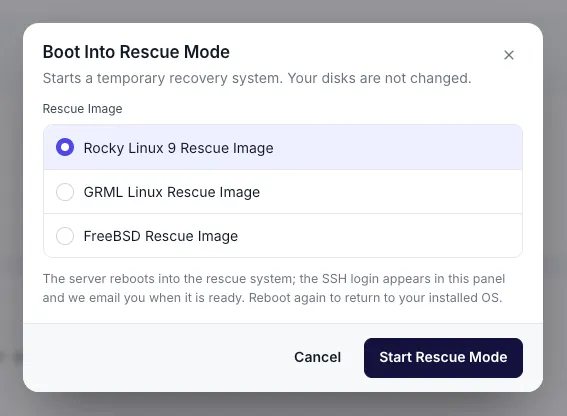
The server reboots into the rescue system. The SSH login for it appears in the server panel, and you receive an email when it is ready.
Leave rescue mode
Section titled “Leave rescue mode”Reboot the server to return to your installed operating system. See Power actions.
When to use it
Section titled “When to use it”- The server will not boot after an update or a configuration change.
- You are locked out and need to reset a password or fix SSH settings.
- You need to check disks or a RAID array from outside the installed system.
If you only need to see what is on screen, the remote console is quicker.