
Cancel a Server
There is no lock-in and no cancellation call. You can cancel a server yourself from its Settings tab, either at the end of the current billing period or right away.
Request a cancellation
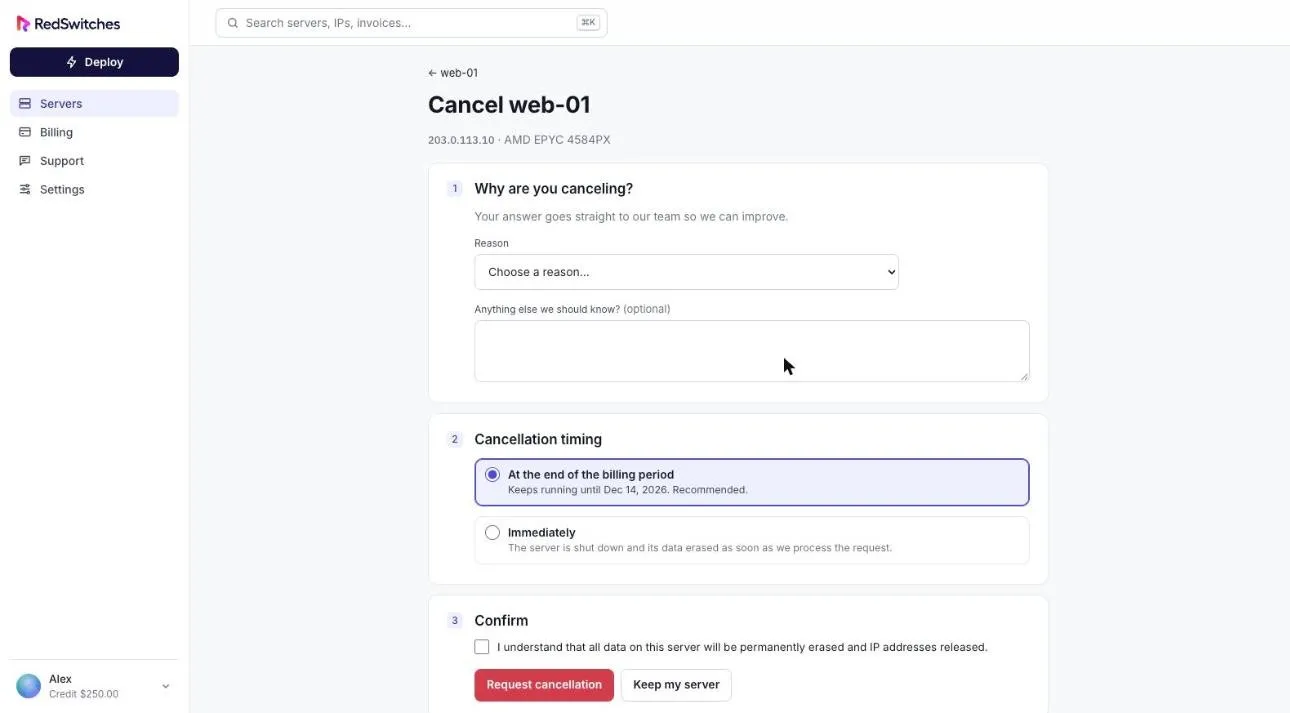
Section titled “Request a cancellation”- Open the server and select the Settings tab.
- Under Cancel This Server, select Request Cancellation.
- Choose a reason. You can add a note; it goes straight to the team.
- Choose the timing:
- At the end of the billing period keeps the server running until its renewal date. This is the recommended option.
- Immediately shuts the server down and erases its data as soon as the request is processed.
- Tick the box confirming you understand the data will be erased.
- Select Request cancellation.
After you cancel
Section titled “After you cancel”- You receive a confirmation email.
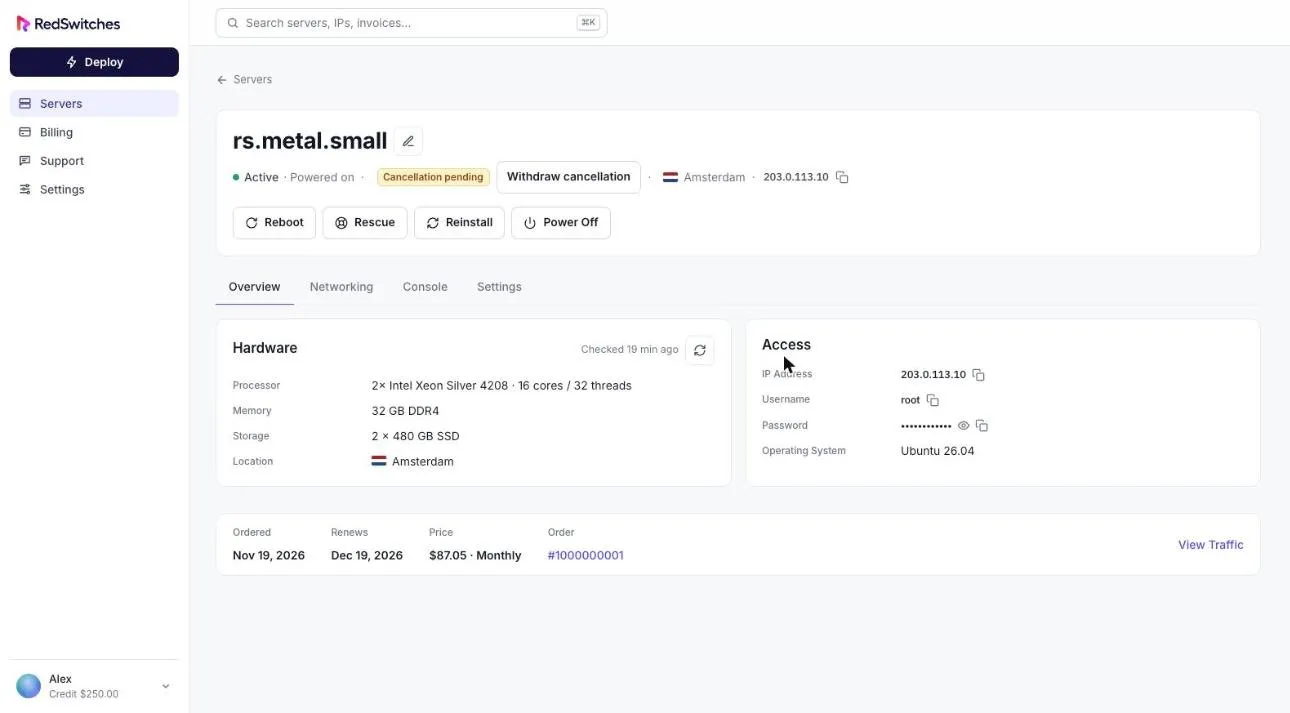
- The server shows Cancellation pending on the servers list and no longer renews.
- While it is pending, the server panel shows a Withdraw cancellation button if you change your mind.
- Canceled servers are listed under the Canceled tab on the servers list.
Changed your mind before submitting? Select Keep my server to leave without cancelling.