
SSH Keys
Save a key once and every new server is ready for you the moment it comes online. Saved SSH keys can be installed on new servers when you deploy them, so you can log in without a password.
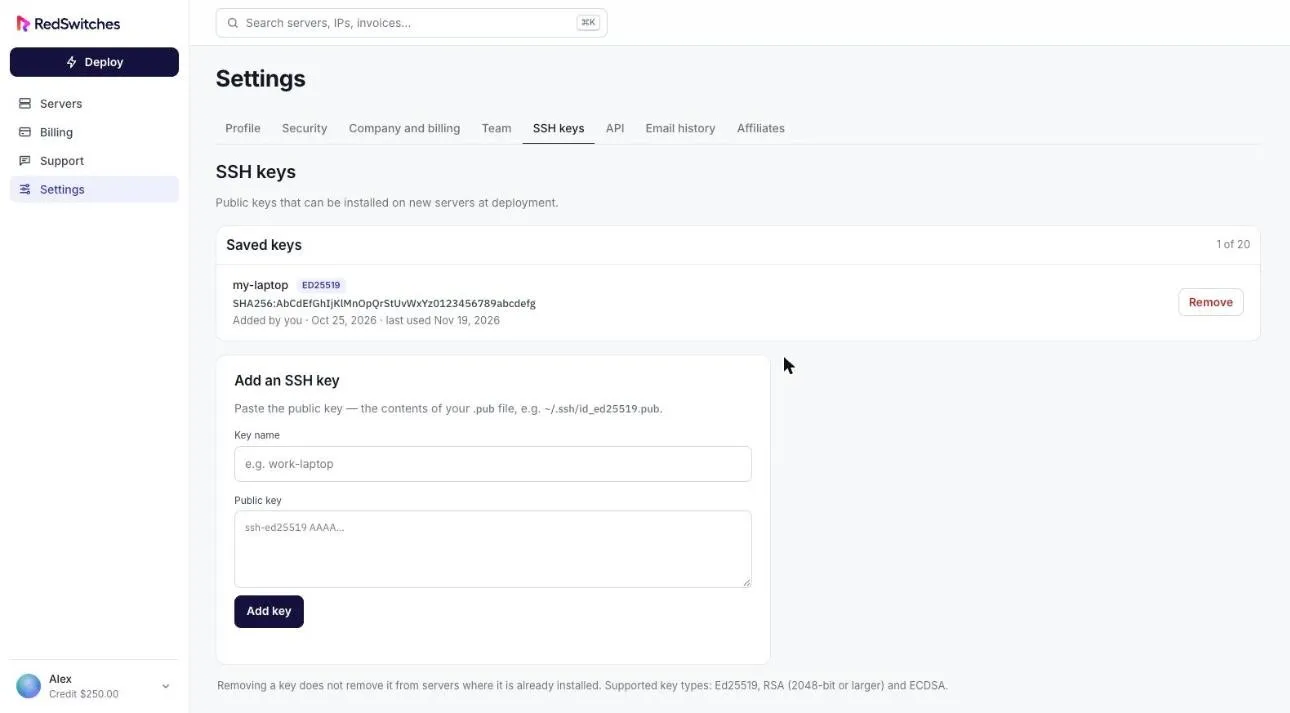
Add a key
Section titled “Add a key”- Select Settings, then the SSH keys tab.
- Give the key a name.
- Paste the public key: the contents of your
.pubfile, for example~/.ssh/id_ed25519.pub. - Select Add key.
Supported key types are Ed25519, RSA (2048-bit or larger) and ECDSA. You can save up to 20 keys.
Use a key
Section titled “Use a key”When you deploy a server, saved keys are listed in the Access step. You can also paste a key during a reinstall.
Remove a key
Section titled “Remove a key”Select Remove beside the key.
Create a key pair
Section titled “Create a key pair”If you do not have a key yet, create one on your own computer:
ssh-keygen -t ed25519Then add the contents of the .pub file as described above. Keep the private key to yourself.