
Credit Balance and Funds
Your credit balance is money held on your account that is used to pay invoices. With credit in place, a new server can be paid for and deploying in a single click.
See your balance
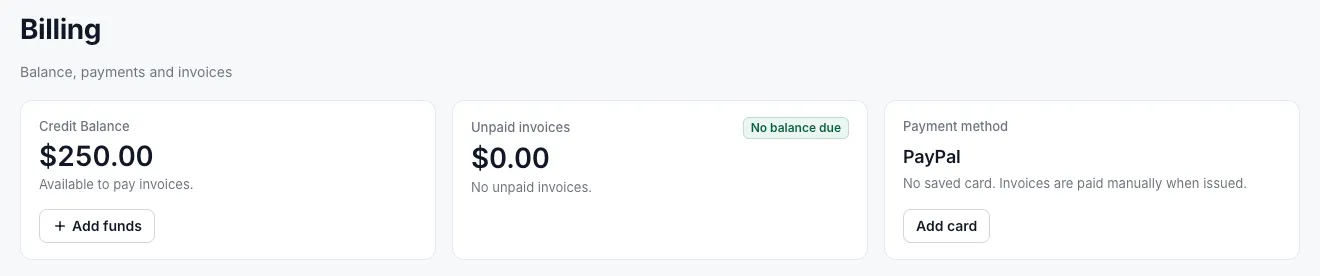
Section titled “See your balance”Your credit is shown under your name at the bottom of the sidebar. The Billing page shows it in the Credit Balance card.
Add funds
Section titled “Add funds”- Select Billing in the sidebar.
- In the Credit Balance card, select Add funds.
- Follow the prompts to choose an amount and pay.
Ways to pay
Section titled “Ways to pay”You can add funds and pay invoices with any of these methods:
| Method | Details |
|---|---|
| Crypto | Bitcoin and other cryptocurrencies, with no KYC. See paying with crypto |
| Stripe | Credit and debit cards |
| PayPal | Pay from your PayPal account |
| Bank transfer | Pay by transfer from your bank |
Paying with crypto needs no identity verification, so you can fund your account and deploy in about 3 minutes without paperwork.
How credit is used
Section titled “How credit is used”- At checkout, credit balance is selected as the payment method when you have any, and the review step shows how much will be used and how much remains.
- Credit is applied to the invoice automatically when the order is placed.
- To pay another way, select Use another payment method at checkout.