Best Dedicated Game Server Hosting
Cut lag, boost tick rate, and take control of your game hosting. This 2026 guide tests the fastest dedicated servers and GSPs for Minecraft, Rust, ARK, and more.

Dedicated game servers give you full control over physical hardware, while game server providers (GSPs) let you rent or buy preconfigured slots with one-click installs.
If you want predictable performance, high single-thread CPUs, and game-aware DDoS protection, dedicated hosting is the right path.
If your focus is quick setup and managed mods, GSPs make more sense. To help you choose, we’ve tested and compared leading providers.
In this guide, you’ll find how we tested servers, detailed reviews of dedicated and GSP providers, per-game hardware specs, and clear cost breakdowns.
Jump straight to explore what fits your needs.
Key Takeaways
- Dedicated servers give full hardware control, stable performance, and lower latency for large or modded games.
- GSPs (Game Server Providers) offer instant setup, one-click installs, and slot-based pricing for casual or small communities.
- Top dedicated picks: RedSwitches, OVHcloud Game, Cherry Servers, Leaseweb, Hivelocity.
- Top GSP picks: GPORTAL, Apex Hosting, PingPerfect, Shockbyte, HostHavoc, GTXGaming, 4Netplayers.
- Pick the region near your players; verify with ping and mtr.
- CPU first. 7800X3D for single busy worlds; 7950X3D/i9-14900K for many instances or heavy mods.
- RAM: 32 GB baseline; 64 GB for modpacks, clusters, or dense multi-instance hosts.
- Storage: 2× NVMe in RAID1; keep backups on separate storage.
- Network: 1 Gbps is enough for most servers; use 10 Gbps for large downloads, SteamCMD mirrors, or events.
- DDoS: Use game-aware filtering; add inline scrubbing if attacks repeat.
- OS: Run Linux for lower overhead and clean automation; use Windows only when the title/tooling requires it.
- Per-game sizing (quick starts):
- Minecraft: 8–16 GB RAM (modded higher), very fast single-thread.
- Rust: 12–24 GB RAM; NVMe for entity churn.
- ARK: 16–32+ GB RAM; frequent saves on NVMe.
- Launch safely: harden OS, enable DDoS profile, install panel, schedule nightly backups, add monitoring, load-test before invite.
- Provider plans change frequently; always verify in-cart before publishing exact figures.
Dedicated vs GSP vs VPS
Game hosting services fall into three main categories. Each comes with trade-offs in control, performance, and cost.
Comparison Table
| Feature \ Type | Dedicated game server | GSP (game server provider) | VPS (virtual private server) |
|---|---|---|---|
| Control | Full root; single-tenant hardware | Limited; panel access, slot plans | Root access; shared host |
| Performance predictability | High (CPU, RAM, bandwidth reserved) | Medium (shared or slot-limited) | Variable (host quality, oversell) |
| DDoS stance | Often game-aware; provider dependent | Basic to strong; often generic | Standard; mostly web-oriented |
| Setup time | Moderate (OS, SteamCMD, panel) | Instant (one-click, preconfigured) | Moderate (OS and game setup) |
| Cost (per month) | $80 to $400+ | $2 to $30 | $10 to $70 |
| Who it’s for | 100+ player communities, esports, studios | Casual groups, small servers, modded Minecraft/ARK clusters | Dev/testing, indie servers under 50 players |
When to Choose Dedicated vs GSP
Choose Dedicated Servers if:
- You run large communities with 100+ concurrent players.
- Your games are CPU-intensive (e.g., ARK: Survival Ascended, Rust, Minecraft with heavy mods).
- Uptime matters, esports tournaments, streaming events, or paid memberships where downtime kills trust.
- You need game-aware DDoS protection to keep latency stable during attacks.
- Your ops team can handle Linux/Windows installs, SteamCMD, firewall rules, and backups.
- Budget allows $80+ monthly and you value predictable performance.
Choose GSPs if:
- You’re hosting casual groups (friends/family) or early-stage communities.
- Your focus is on quick setup and convenience, one-click ARK maps, Minecraft modpacks, CS2 servers.
- You want managed mod support without learning panels like Pterodactyl.
- Cost is tight, you prefer $2–$30 monthly slot pricing over a full dedicated rental.
- Your priority is ease of use rather than deep customization.
Rule of Thumb:
- Under 50 players → VPS or GSP.
- 50–100 players or heavy mods → GSP with high slot plans.
- 100+ players, esports, or professional communities → Dedicated server hosting.
5 Best Dedicated Game Server Hosting (2026)
| Provider | Best For | Regions | DDoS Stance | Example Config / Plan |
|---|---|---|---|---|
| RedSwitches | Rapid provisioning + custom bare-metal builds | US, EU, Asia (20+ sites) | Included baseline; enterprise mitigation available | AMD/Intel CPUs, NVMe SSD, 1/10/25 Gbps unmetered ports. Fast delivery. |
| OVHcloud Game | Value with built-in Game Anti-DDoS | NA, EU, APAC | Always-on Game / Anti-DDoS | Ryzen-based Game series (5600X / 5800X); public bandwidth included; regional pricing varies. |
| Cherry Servers | Flexible hourly / monthly billing | EU, US, SG | DDoS included on all dedicated servers | Instant dedicated from ~$0.09/hr equivalents; 10 Gbps options, NVMe storage, 15-min provisioning. |
| Leaseweb | Enterprise scale + managed options | Global (20+ DCs) | Standard + Advanced DDoS tiers | High-clock CPUs, instant delivery pools, managed add-ons (GPU / storage / SLA). |
| Hivelocity | US-centric builds + automation API | 50+ global locations (heavy US coverage) | Network-level DDoS included; enterprise add-ons available | Intel / AMD dedicated servers with NVMe; 1–10 Gbps ports and Terraform/API control. |
After the high-level comparison, let’s dive deeper into each dedicated provider.
Power Your Game. Anywhere. Instantly.
Launch your next world on RedSwitches, unmetered ports, NVMe speed, and global PoPs built to keep your players connected without downtime.
1. RedSwitches
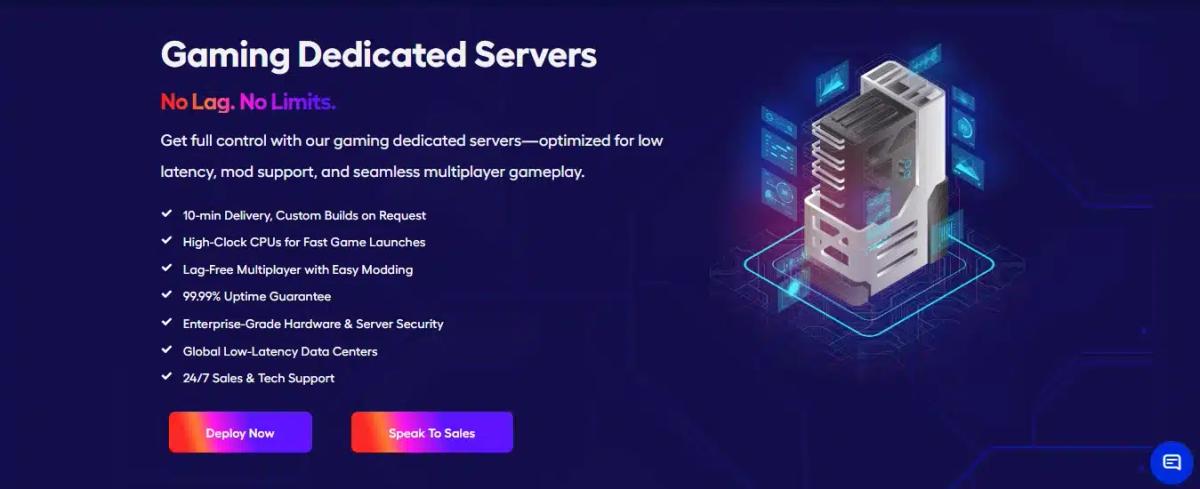
You saw us featured in the top picks grid. Here’s a full look at how RedSwitches performs based on our own testing framework and why we’ve become a go-to choice for demanding gaming workloads.
- Best for: Fast provisioning, custom bare-metal builds, and global deployments.
- Regions: 20+ data center locations across North America, Europe, and Asia.
- DDoS: All our servers include DDoSprotection by default. For clients with high-traffic or latency-sensitive games, we offer enterprise-grade mitigation tiers with real-time scrubbing.
- Example config: AMDor IntelCPUs, with 10 Gbps, 25 Gbps unmetered bandwidth, NVMe SSD storage, full root access, and zero setup fees. Most servers deploy in under 10 minutes.
Why pick us:
- Rapid deploy + lots of prebuilt configs, plus true custom builds.
- Broad location spread to place servers near your players.
- Easy upgrades to higher port speeds and unmetered throughput when you scale.
With our combination of speed, flexibility, and worldwide coverage, RedSwitches stands out as one of the most capable choices for gamers and studios seeking true bare-metal power with rapid scalability.
2. Leaseweb
After RedSwitches, Leaseweb appeals to users needing enterprise scale, modularity, and reliability.
Best for: Studios and larger communities that need managed options and global reach.
- Regions: 20+ data centers worldwide across Europe, the U.S., and Asia.
- DDoS: Standard protection available with Advanced DDoS tiers for higher risk profiles.
- Example config: High-clock gaming-oriented builds in instant-delivery pools; managed services and modular upgrades (GPU, storage) available.
- Why pick it:
- Enterprise-grade network and global peering: low-latency backbone, reliable interconnects. For example, they power Crytek’s global game infrastructure.
- Customization + managed stacks: flexible configuration, month-to-month contracts, multiple hardware families (AMD, GPU, etc.).
3. Cherry Servers
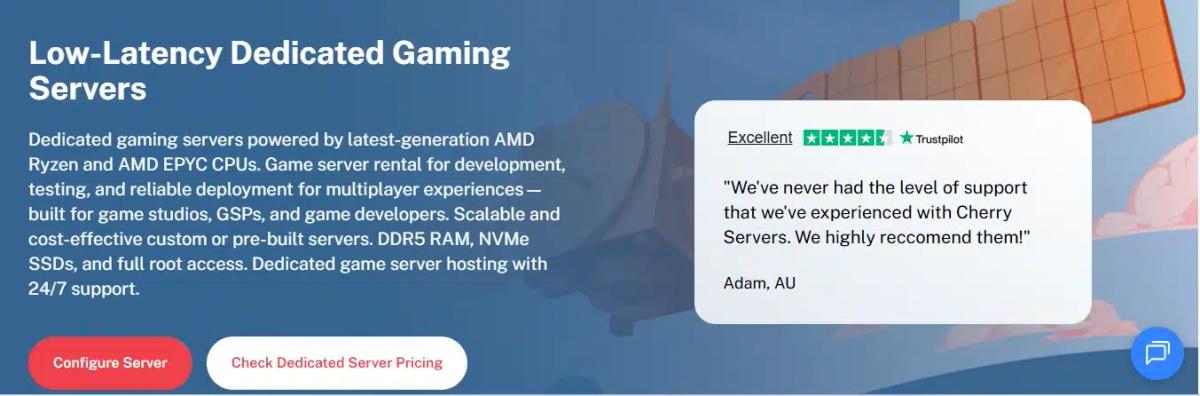
Cherry Servers offers a strong balance of performance, flexibility, and billing options.
- Regions: Lithuania, Netherlands, Germany, Sweden, Singapore, United States (6 data center locations)
- DDoS: Included on dedicated servers; premium protection available.
- Example config: Instant dedicated with hourly or monthly billing (instant offers typically start around $0.09/hr). 10 Gbps options and NVMe support on many presets.
- Why pick it:
- Hourly billing is great for load-testing wipes or events.
- 15-minute provisioning targets on many instant builds.
- Comfortable developer tooling and API for automation.
4. OVHcloud Game
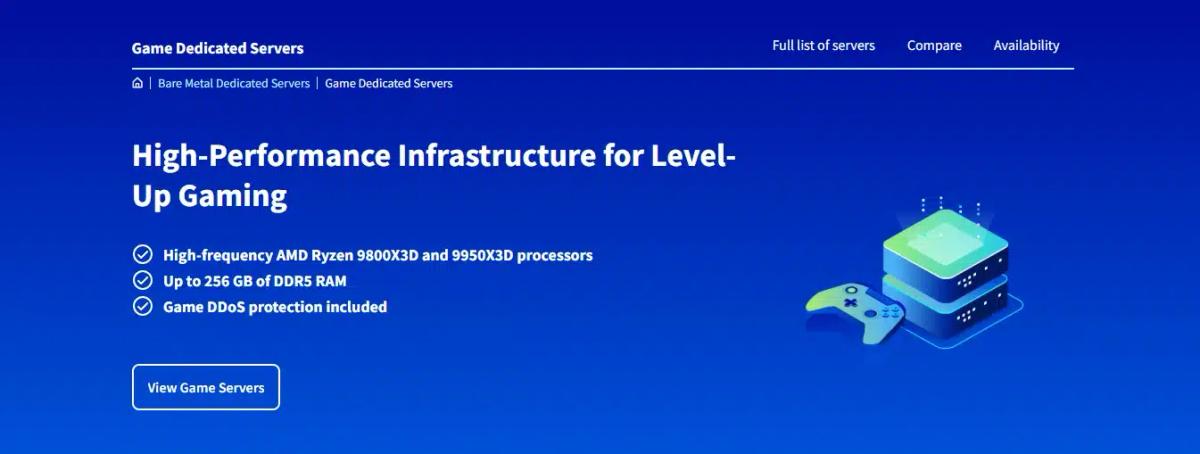
OVHcloud’s Game range is purpose-built for multiplayer workloads.
- Regions: Multiple global zones; pick the DC nearest your players.
- DDoS: Game/Anti-DDoS is included on Game servers.
- Example config:
- Current Game offers pair high-frequency Ryzen CPUs with included public bandwidth; exact CPU/bandwidth vary by region and offer page.
- Why pick it:
- Built-in Game/Anti-DDoS tuned for UDP game traffic.
- Good value on high-clock hardware backed by OVH’s global backbone.
- Broad regional coverage with predictable monthly pricing.
5. Hivelocity

Hivelocity is ideal for U.S. audiences and those who want managed options.
- Regions: 50+ global locations (6 continents) with a strong U.S. presence.
- DDoS: Network-level DDoS protection included; higher-tier mitigation available.
- Example config: Intel/AMD dedicated with NVMe; 1–10Gbps ports; API/Terraform for automation.
- Why pick it:
- Dense U.S. coverage and modern automation.
- Included DDoS protection for public communities.
- Good fit if your players are primarily in North America.
7 Best GSP (Game Server Providers) in 2026
| Provider | Best For | Regions | DDoS Stance | Example Config / Notes |
|---|---|---|---|---|
| GPORTAL | Multi-title communities, fast setup & mod support | Global (14+ locations) | Multi-layer DDoS: Bulwark™ + Corero | High-performance NVMe hardware; supports 90+ titles; game switching enabled. |
| PingPerfect | Broad game catalog + flexible slot/plan options | NA, EU, APAC | Advertised “Advanced DDoS Protection” | Uses high-clock hardware (Ryzen/EPYC) focused on single-thread performance. |
| Shockbyte | Budget modded-Minecraft / starter GSP | Global (focus NA/EU/SG) | DDoS included | Low starting cost; high-clock CPUs & NVMe SSDs in plans. (Note: check dedication/oversubscription for high-load setups) |
| Apex Hosting | Minecraft modpacks & plugin ecosystems | NA, EU, APAC | DDoS protection included | Strong mod-/pack-support, easy UI; less multi-game flexibility vs others. |
| HostHavoc | Mod-enabled games (ARK, Rust) + community servers | Global (11+ DCs) | DDoS included | Full FTP access, strong reputation in multi-game hosting. |
| 4Netplayers | European-centric, classic/ niche titles | EU-centric (17+ locations) | Standard DDoS profiles | Good EU latency and game switching; may be less ideal for ultra-large mods/slots. |
| GTXGaming | Large game library + upgrade path to dedicated | Global (30+ DCs) | Real-time filtering / enterprise-level DDoS | Supports many titles, offers both GSP & dedicated tiers; long-standing brand. |
These providers trade some hardware control in exchange for speed, ease, managed mods, and one-click game setups.
GPORTAL
GPORTAL aims for breadth and speed. Expect launch-fast servers with deep game support and modpack tools.
- Best for: Multi-title communities that want fast setup and easy modpack tooling.
- Locations / Ping Tools: 14+ global locations with published status/ping tooling.
- Plan example: Pricing and slot counts vary by title/region; deployments are typically a few minutes.
- DDoS stance: Uses Bulwark+ Coreromulti-layer protection built into game hosting offerings.
- Why pick it:
- Instant server availability and easy modpack installs, get your world online fast.
- Broad support across 90+ games, including ARK, Valheim, and Minecraft.
- Trade-offs:
- Users report overpricing at larger slot counts (e.g., 70 slots ~$48) in community forums.
- Occasional complaints about support responsiveness.
PingPerfect

PingPerfect focuses on variety and clear order paths. Their appeal lies in the variety of game choices, mod support, and transparent pricing.
- Best for: Communities that switch games often or need clear, tiered slot pricing.
- Locations / Ping Tools: 20+ global locations with a public ping checker.
- Plan example: Rust 50-slot plan is listed with 9GB RAM and NVMe storage; higher tiers step up RAM/CPU priority.
- DDoS stance: Advertises advanced DDoS protection on all game servers.
- Why pick it:
- Strong panel features (auto backup, mod updates, game switching).
- Global presence and clear pricing make it easy to pick a nearby server.
- Trade-offs:
- Their slot-based pricing may get expensive at a higher scale.
- Mixed user reviews on support delay and game version updates.
Shockbyte
Cost-conscious builders running Minecraft (Java/Bedrock) and modpacks without deep ops overhead.
- **Locations / Ping Tools:**Servers in NA, EU, Singapore, and Australia.
- **DDoS stance:**All plans include DDoS protection.
- Example config/plan:
- Dirt plan: 1 GB RAM, ~8 slots (~$4/mo)
- Titan plan: up to 16 GB, “unlimited” slot allowance (~300 recommended)
- Hardware: AMD Ryzen 9 7950X at up to 5.70 GHz, DDR5, Gen4.0 NVMe SSDs, 1–10 Gbps ports.
- Why pick it:
- Very low starting cost; easy ramp as you grow.
- Good hardware specs for a GSP (high-clock CPU, NVMe, DDR5) at affordable tiers.
- Trade-offs:
- Many plans rely heavily on oversubscription limits or slot caps; high usage may degrade performance under load.
- Community reports of support delays and occasional quality issues.
Apex Hosting
After Shockbyte, Apex Hosting represents a more premium, feature-rich Minecraft GSP with better support and mod tooling.
- Best for: Minecraft modpack servers (e.g. FTB, Pixelmon) with needs for mod support and server switching.
- **Locations / Ping Tools:**DCs in North America, Europe, Australia, Singapore, and Brazil.
- **DDoS stance:**Full network protection for small to large DDoS attacks.
- Example config/plan:
- Uses Ryzen / Xeon CPUs in various regions.
- DDR4/DDR5 RAM and NVMe SSD configurations.
- One-click modpack installs, version switching.
- Why pick it:
- Deep modpack and plugin support with an easy UI.
- Strong support infrastructure, 24/7 live chat, knowledgeable staff.
- Trade-offs:
- Higher cost per slot compared to budget GSPs.
- Less flexibility for non-Minecraft titles; primarily optimized for Minecraft in their stack.
HostHavoc
HostHavoc excels in mod-enabled games. ARK, Rust, and Minecraft communities need mod support plus a wide game catalog.
- **Locations / Ping Tools:**11 global data centers.
- DDoS stance: DDoS protection is included in plans.
- Example config/plan:
- Uses Ryzen and Xeon CPUs; they own their hardware.
- Modded ARK/Rust server types possible; full FTP access.
- Plans begin from modest slot counts upward; dedicated server options are also listed at ~$250+/mo.
- Why pick it:
- Strong support reputation with average ticket response under 10 minutes.
- Long track record, multi-game support, and full customization.
- Trade-offs:
- Dedicated IPs are sometimes reserved for higher-tier plans only.
- Fewer presence points in Africa or some parts of Asia can increase latency for players there.
4Netplayers

4Netplayers has deep roots in European game hosting. European communities, classic and niche titles, need low-latency access in the EU.
- Regions / Ping Tools: 17 global locations; instantly deploy servers in those locales.
- DDoS stance: Automatic detection and blocking built in for game servers. “All our Minecraft game servers are equipped with modern DDoS protection.”
- Example config/plan:
- Minecraft plan from ~€2.69/month with SSD, fast CPUs, full FTP access.
- Hardware: Intel & AMD CPUs, ECC RAM, SSD/NVMe disks.
- Why pick it:
- Strong EU backbone and many DC points keep latency low for EU players.
- Broad game support (100+ titles) plus flexibility with game switching.
- Trade-offs:
- Some user complaints over cancellation policies and lack of prompt support.
- Limited control compared to dedicated; heavy mods or ultra high slot servers may push beyond their allocated resources.
GTXGaming
GTXGaming is best for communities Large game library and the option to graduate to dedicated under the same brand.
- Regions / Ping Tools: Broad global coverage (see A–Z games page).
- DDoS stance: DDoS protection is included on game hosting.
- Example config/plan:
- Over 75 games supported.
- Rust 50-slot server for ~$10 or stock plans starting at 8 GB RAM.
- Control panel flexibility: dropdown menus, full FTP for advanced users.
- Why pick it:
- Long tenure (14+ years) gives brand trust.
- Multi-game support, option to move to their dedicated tier, and tiered CPU upgrades.
- Trade-offs:
- Some user reports of data loss, support delays, or server issues.
- Slot-based pricing scale may become expensive for large communities.
Note: All specifications, features, and pricing were verified from official provider listings at the time of research. Please confirm with individual providers for the latest updates.
Dedicated Gaming Server Build, Specs That Matter
You win stability by picking the right core parts first: CPU → RAM → NVMe → network. Follow these paths and your ticks stay smooth when players pile in.
CPU hierarchy
- Ryzen 7 7800X3D: best all-round pick for single busy worlds. Strong single-thread, big cache, low variance.
- Ryzen 9 7950X3D or Core i9-14900K: choose for many instances on one box, heavy modpacks, or high player caps.
- Skip low-clock many-core parts: they look powerful on paper, but tick-bound engines stall on slow cores.
Practical tips
- Pin cores per instance for consistent frame times.
- Keep background tasks off the fastest cores.
- Watch P95 single-thread utilization during peak hours.
RAM tiers
- Baseline: 32 GB for most single-title boxes.
- Heavy mods / multi-instance: 64 GB to prevent swap and GC stalls.
- ECC value: better safety for 24/7 worlds and large saves.
Practical tips
- Set heap limits per server to prevent one instance from starving the rest.
- Track memory growth after wipes and major updates.
Storage layout
- Standard: 2× NVMe in RAID1 for worlds and configs. Backups: separate disk or object storage target; don’t back up to the same array.
- Goals:
- Small world (≤10 GB): save <30s, restore <2 min.
- Large world (20–40 GB): save <90s, restore <6 min.
Practical tips
- Enable write-intensive mount options only after testing.
- Keep logs on a separate path if they grow fast.
- Test a restore every week.
Network choices
- Port speed: 1 Gbps suits most servers; 10 Gbps helps with map downloads, SteamCMD pushes, and big events.
- Billing:
- Unmetered if you expect steady traffic or public downloads.
- 95th percentile if traffic is bursty and you can manage peaks.
Practical tips
- Place servers near players; verify with mtr before launch.
- Lock down to required ports; default-deny on the firewall.
- Add game-aware DDoS profiles and review logs after the first week.
Game-Specific Sizing
You picked the right hardware class. Now size it to your title and player count. Use these tables as fast starting points, then test with your mods and maps.
Minecraft (Java)
Focus: very high single-thread, fast NVMe, sensible distances.
Quick rules
- Keep the simulation distance lower than the view distance.
- Prefer Paper/Purpur; profile with Timings.
- Watch heavy plugins: world edit, chunk loaders, mob farms.
Starter specs
| Players | CPU target | RAM target | Storage | Notes |
|---|---|---|---|---|
| 1–8 | High-clock core (7800X3D/i9 class) | 4–6 GB | NVMe | Vanilla/light plugins |
| 9–20 | Same CPU | 8–12 GB | NVMe | Light modpacks, small farms |
| 21–40 | Same CPU | 12–16 GB | NVMe | Paper/Purpur, trimmed distances |
| 41–80 | Top single-thread | 16–24 GB | NVMe | Heavier plugins; async chunk tweaks |
| 81–120 | Top single-thread | 24–32 GB | NVMe RAID1 | Consider splitting into multiple instances |
Common plugin gotchas
- Heavy schedulers on tick.
- Uncapped mob limits.
- Overlapping protection/region plugins.
Ports: 25565/TCP (default), RCON if used.
Rust
Focus: high clock, NVMe for entity churn, RAM for large maps.
Starter specs
| Map size | Players | CPU target | RAM target | Storage | Notes |
|---|---|---|---|---|---|
| 3000 | ≤60 | High-clock core | 8–12 GB | NVMe | Community PvE/PvP mixed |
| 3500 | 60–100 | High-clock core | 12–16 GB | NVMe | Popular wipe cadence |
| 4250–4500 | 100–150 | Top single-thread | 16–24 GB | NVMe RAID1 | Busy PvP; entity cleanups |
| 5000 | 150–200 | Top single-thread | 24–32 GB | NVMe RAID1 | Consider splitting roles (build/test) |
Wipe tips
- Automate pre-wipe backups and post-wipe validations.
- Prune blueprints/entities to curb save bloat.
Ports: 28015/UDP (game/query), 28016/TCP (RCON).
ARK
Focus: high clock, ample RAM, frequent saves on NVMe.
Starter specs
| Worlds / Cluster | CPU target | RAM target | Storage | Notes |
|---|---|---|---|---|
| Single world | High-clock core | 16 GB | NVMe | Vanilla or light mods |
| Heavy modded | Top single-thread | 24–32 GB | NVMe RAID1 | Many assets; long saves |
| 2–3 maps (cluster) | Top single-thread | 32 GB+ | NVMe RAID1 | Pin cores per map |
| ≥4 maps (cluster) | Top single-thread | 48–64 GB | NVMe RAID1 + backup target | Consider a second box |
Mod caveats
- Big creature/structure packs spike saves.
- Schedule rolling backups between autosaves.
Ports: 7777/7778/UDP (game), 27015/UDP (query).
CS2 / Source
Focus: high clock; multi-instance pinning for consistent tick.
Starter specs
| Instances on one box | CPU target | RAM target | Storage | Notes |
|---|---|---|---|---|
| 1–4 servers | High-clock core | 8–12 GB | NVMe | Public 64/128-tick |
| 5–10 servers | Top single-thread | 16–24 GB | NVMe | Pin CPU sets per server |
| 10–16 servers | Top single-thread | 24–32 GB | NVMe | Monitor P95 frame time |
Operational hints
- Fix tickrate and server rates; keep plugins lean.
- Separate logs if many instances.
Ports: 27015–27036/UDP (game/query), RCON/TCP as configured.
Valheim
Focus: high single-thread; NVMe to cut world hitching.
Starter specs
| Players | CPU target | RAM target | Storage | Notes |
|---|---|---|---|---|
| 1–6 | High-clock core | 4–6 GB | NVMe | Small worlds |
| 7–10 | High-clock core | 6–8 GB | NVMe | Heavier bases |
| 10–20 | Top single-thread | 8–16 GB | NVMe RAID1 | Mods/large builds |
Ports: 2456–2458/UDP (default range).
Regional Latency Guide (Pick the Right PoP)
You lower ping by placing servers near players and by riding good peering. Use these bands as planning ranges, then verify with mtr.
Peering notes that the change in real-world ping
- Prefer routes on well-peered backbones in your corridor.
- Avoid long detours (trans-Atlantic or trans-Pacific hairpins).
- Check evening congestion on the last mile ISPs your players use.
Quick placement flow
- Map your top player cities.
- Pick the closest PoP with solid peering to those ISPs.
- Run mtr from the PoP to those cities; watch hops and loss.
- Stand up a test node; gather live pings from your community.
- Lock region. Document a backup region for failover.
Useful checks before launch
- Provider looking-glass pages to preview routes.
- Public test IPs/files to sample RTT and throughput.
- Night-time probes to catch peak-hour variance.
Network & DDoS Checklist
You keep players online by filtering fast and giving attacks nowhere to land. Apply this checklist before you invite anyone in.
Edge protection (always-on)
- Turn on provider filtering at the network edge.
- Drop floods before they reach your box.
Game-aware profiles
- Pick rule sets for your title and port set.
- Allow only the specific UDP/TCP needed for your server and RCON.
Per-IP rules and logs
- Create per-IP/port ACLs you can change without reboot.
- Review pass/drop logs after peak hours and after each wipe.
Inline scrubber for repeat floods
- If you get hit often, place an inline scrubber in front.
- Route only clean traffic to the server; keep a bypass for testing.
Upstream headroom
- Keep spare capacity on the uplink so scrubbing doesn’t saturate.
- Watch P95 bandwidth and attack size; upgrade tiers before you need to.
Operational habits
- Default-deny firewall; open only required ranges.
- Rotate IP on compromise; automate port changes for RCON.
- Run nightly mtr to top player ISPs to spot new routing issues.
Pricing & TCO
Build a budget that won’t break when you scale or when promos end.
Example TCO ranges (illustrative; verify with your provider)
| Scenario | Compute (CPU/RAM/NVMe) | DDoS | Bandwidth | Backups | Est. Monthly Total |
|---|---|---|---|---|---|
| Small world (Minecraft 20–40 players) | $90–$160 | $0–$30 | Included 1 Gbps | $5–$15 | $95–$205 |
| Busy PvP (Rust 80–120 players) | $140–$260 | $20–$80 | Unmetered 1 Gbps | $10–$25 | $170–$365 |
| Cluster (ARK 2–3 maps) | $220–$380 | $40–$120 | Unmetered 1–10 Gbps | $15–$40 | $275–$540 |
| Multi-instance host (CS2 8–12 servers) | $200–$340 | $20–$60 | 95th or unmetered | $10–$25 | $230–$425 |
TCO tips
- Track cost per concurrent player; prune waste.
- Move maps, downloads, and backups off the main box to control I/O and egress.
- Right-size ports: 1 Gbps is fine for most; jump to 10 Gbps only when you need it.
- Revisit tiers after wipes; attack profiles change over time.
Final Thoughts
Choosing the best dedicated game server hosting in 2026 comes down to where your players are, how much control you need, and how far you’re ready to manage the stack.
Dedicated servers like RedSwitches, OVHcloud Game, and Cherry Servers give you raw power, predictable latency, and enterprise-grade DDoS protection for large communities or esports setups.
GSPs such as Apex Hosting, GPORTAL, or PingPerfect simplify life with one-click installs, mod support, and slot-based pricing for smaller groups.
Pair the right hardware with the right region, secure it with proper backups and monitoring, and you’ll deliver a fast, stable experience every time.
FAQs
Q. Is dedicated better than a GSP for my game?
Dedicated servers are better if you need consistent tick rates, 100+ players, or mod-heavy games like Rust or ARK. You get full hardware control and predictable latency. GSPs are easier if you want a quick setup for small groups, casual Minecraft, or testing.
Q. Do I need game-aware DDoS?
Yes, if you run public servers. General web DDoS protection doesn’t handle UDP game traffic well. Game-aware DDoS scrubbing keeps packets clean under attack, preventing lag spikes or disconnections.
Q. Cores vs clock for game servers?
Clock speed matters more than core count. Most game engines scale poorly across many threads. A fast single-thread CPU (e.g., Ryzen 9, Intel i9) beats a 32-core CPU with lower clock speed.
Q. How many players can one dedicated box run?
It depends on the game and mods. A high-clock 8–16 core server with 64–128 GB RAM can handle:
- Minecraft: 150–200 players with Paper/Spigot
- Rust: 150–200 players on mid-size maps
- ARK clusters: 2–3 maps with 50–70 players each Scaling beyond this often requires multiple servers or clustering.
Q. When should I move from GSP → Dedicated?
Move when:
- Your slots are always full.
- Mods crash or overload your GSP plan.
- You face frequent DDoS attacks.
- You want lower ping for global players by running multiple regions.
- You’re ready to manage OS, security, and panels.
Fatima J.
Technical Writer
Fatima is a writer who has authored a wide range of technical guides for the RedSwitches blog, covering Linux, servers, and hosting topics, with a focus on making hands-on subjects clear and approachable.
No One Survived Dedicated Server Setup Guide 2026
Learn to install, configure, secure, update, troubleshoot, and back up a No One Survived dedicated server for persistent multiplayer hosting.
Windward Horizon Dedicated Server Setup for Windows and Linux
Discover how Windward Horizon dedicated server hosting works, covering availability, Windows and Linux setup, TCP ports, administration, backups, and troubleshooting.
Portal Knights Dedicated Server Setup Guide 2026
Learn how to set up a Portal Knights dedicated server in 2026, configure server_config.json, open UDP 16365, fix connection issues, and keep your co-op world online.
Power Your Next Project With Bare Metal
10 min delivery, zero setup fees, and 24/7/365 human engineers across 20+ global locations.