13 Best GPUs for Gaming in 2026: Top Graphics Cards for 4K, 1440p, and Budget Builds
Discover the 13 best GPUs for gaming in 2026, from flagship 4K powerhouses to affordable budget picks. Compare performance, VRAM, and value to find the right graphics card for your build.
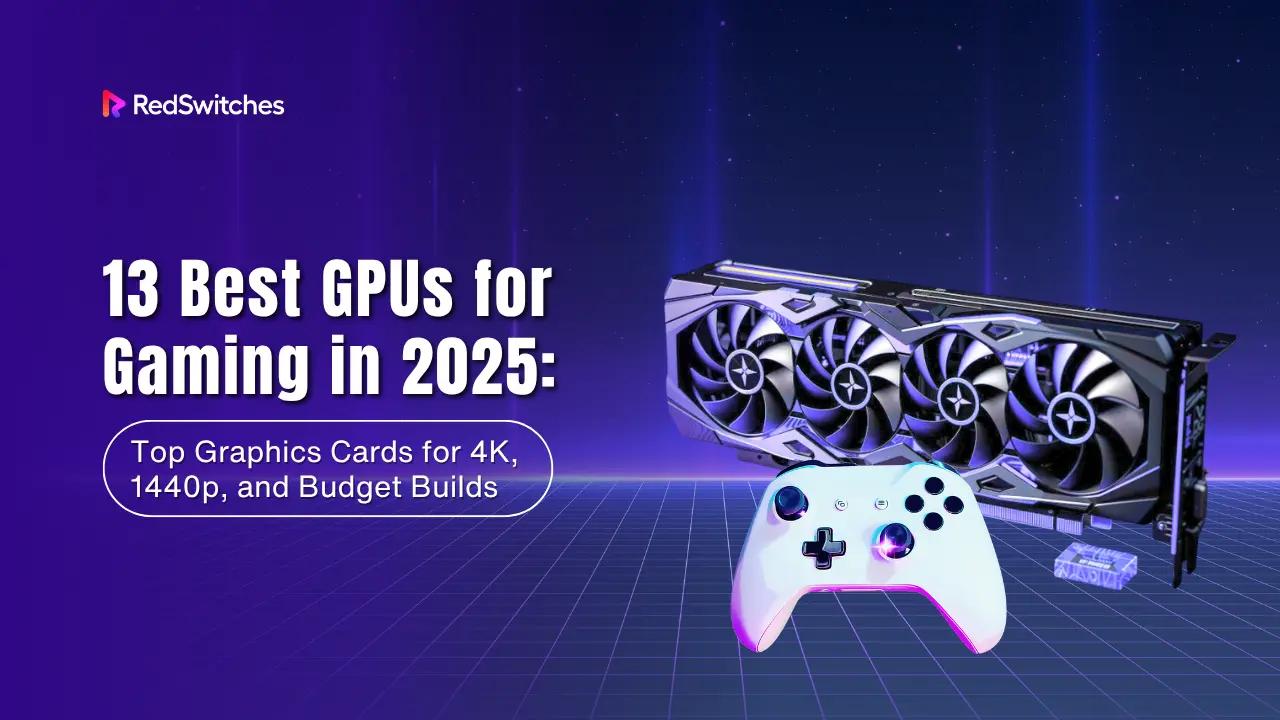
Choosing the right GPU in 2026 shapes how you play and what your system can handle tomorrow. Games now push AI-driven features, heavier ray tracing, and bigger VRAM loads.
This year also marks a shift with Nvidia’s Blackwell RTX 50 series, AMD’s RX 9000 XT cards, and Intel’s Battlemage arriving in the mix. You face more options, but also more complexity when deciding what fits your build.
This guide cuts through the noise with a clear gaming GPU comparison. You will see the best graphics cards for gaming across flagship, mid-range, and budget tiers, with a focus on future-proofing.
And if you need GPU power beyond a single PC, RedSwitches provides bare-metal GPU servers built for scale.
Key Takeaways
- RTX 5090 is the best overall 4K gaming GPU in 2026, but it is very expensive and power hungry.
- RTX 5080 and AMD RX 9070 XT give excellent 4K performance with better value than the 5090.
- RTX 5070 Ti is the top choice for high refresh 1440p gaming, especially for esports.
- AMD RX 9060 XT offers the best price to performance at 1440p with 16GB VRAM.
- For tight budgets, Intel Arc B580, RTX 5050, RTX 4060, and RX 7600 XT cover most 1080p and light 1440p needs.
- Nvidia leads in ray tracing and AI features with DLSS 4 and Reflex on RTX 50 series cards.
- AMD cards give more VRAM and better value if you care more about raw frames than ray tracing.
- Intel Arc B580 is the best sub 300 dollar option if you accept weaker drivers and ecosystem.
- You should pick your GPU based mainly on resolution, VRAM needs, PSU capacity, and case size.
- Esports players should target RTX 5060 Ti or Arc B580 at 1080p for very high frame rates.
- Single player AAA gamers at 1440p should look at RTX 5070 Ti or RX 9060 XT.
- If you need many GPUs or a cloud gaming scale, RedSwitches bare metal GPU servers are better than a single PC build.
Quick Comparison Table- Best GPUs at a Glance
| GPU | VRAM | Approx. FPS @1080p | Approx.FPS @1440p | Approx. FPS @4K | Ray Tracing | Power Draw | Best For | Typical price bracket (check current listings) |
|---|---|---|---|---|---|---|---|---|
| Nvidia RTX 5090 | 32GB GDDR7 | 300+ | 250+ | 160+ | Excellent | 575W | Best 4K gaming GPU, creators | $1,999– $2,500 |
| Nvidia RTX 5080 | 16GB GDDR7 | 280+ | 220+ | 130+ | Very strong | 360W | High-end 4K gaming | $999– $1,200 |
| Nvidia RTX 5070 Ti | 16GB GDDR7 | 260+ | 200+ | 110+ | Strong | 285W | Best 1440p gaming GPU | $699– $799 |
| Nvidia RTX 5070 | 12GB GDDR7 | 240+ | 180+ | 95+ | Solid | 250W | 1440p gaming builds | $599– $699 |
| Nvidia RTX 5060 Ti (16GB) | 16GB GDDR7 | 220+ | 160+ | 80+ | Good | 180W | Budget 1440p | $449– $499 |
| Nvidia RTX 4060 | 8GB GDDR6 | 180+ | 120+ | 60+ | Moderate | 115W | Entry Nvidia card | $299– $349 |
| Nvidia RTX 5050 | 8GB GDDR6 | 150+ | 95+ | 45+ | Limited | 130W | Basic 1080p builds | $229– $269 |
| AMD RX 9070 XT | 16GB GDDR6 | 280+ | 210+ | 120+ | Strong | ~300W | Best graphics card 2026 value pick | $699– $799 |
| AMD RX 9070 GRE (12GB) | 12–16GB GDDR6 | 250+ | 190+ | 100+ | Decent | ~220W | Mid-to-high builds | $549– $649 |
| AMD RX 9060 XT | 16GB GDDR6 | 230+ | 170+ | 85+ | Fair | ~160W | Mid-range 1440p | $399– $449 |
| AMD RX 7600 XT | 16GB GDDR6 | 190+ | 130+ | 65+ | Basic | 190W | Best budget gaming graphics card | $299– $349 |
| Intel Arc B580 | 12GB GDDR6 | 200+ | 140+ | 70+ | Good entry | ~190W | Best budget option under $300 | $229– $279 |
Note*: FPS values and price brackets are approximate and based on a mix of public benchmarks, vendor data, and launch pricing. Actual performance and pricing will vary by game, region, and specific AIB model.*
Turn Your Favorite Game Into A 24/7 World
Host Minecraft, Rust, ARK, or modded servers on RedSwitches' bare metal. Persistent worlds, DDoS protection, and bandwidth built for real player traffic.
How We Tested & Ranked GPUs
You want clear answers when comparing the best graphics cards for gaming. To make this gaming GPU comparison reliable, we used a mix of consistent test scenarios and aggregated results from multiple independent benchmarks.
Benchmarks we used:
- Popular AAA titles like Cyberpunk 2077, Starfield, and Hogwarts Legacy.
- Competitive esports games such as Valorant, CS2, and Fortnite.
- Synthetic benchmarks including UL’s 3DMark Time Spy and Port Royal for ray tracing.
Resolutions covered:
- 1080p for entry and budget builds.
- 1440p for mainstream gaming rigs.
- 4K for high-end systems targeting maximum detail.
Upscaling features measured:
- DLSS 4 on Nvidia RTX 50 cards, including Multi-Frame Generation.
- FSR 4 on AMD RX 9000 XT GPUs.
- XeSS 2 on Intel Arc B580 and upcoming Battlemage cards.
We compared native performance and upscaled results to show where frame gains are meaningful.
Hardware fit and cost factors:
- PSU requirements and average power draw.
- Card size and case clearance for standard ATX and smaller builds.
- VRAM capacity to handle modern high-resolution textures.
- Compare MSRP with current retail listings so you are looking at what you actually pay today.
This method gives you an honest graphics card buying guide for 2026. You see not only raw FPS but also how each card fits into real systems and budgets. That way, your gaming PC graphics card recommendations match both performance needs and long-term value.
Best Overall GPU for Gaming in 2026
Nvidia RTX 5090
The Nvidia RTX 5090 stands as the best graphics card for gaming in 2026. It carries 32GB of GDDR7 VRAM, new Blackwell architecture, and a massive core count. In real-world play, it delivers unmatched 4K frame rates with ray tracing fully enabled.
DLSS 4 with Multi-Frame Generation boosts performance further, making demanding titles smooth even at max settings. You can expect well over 150 FPS in top AAA games at 4K Ultra with ray tracing on.
It also handles AI-driven tasks, video rendering, and creator workflows, making it more than just a gaming card. The trade-offs are clear: a price tag above $2,000 and a 575W power draw. You need a strong PSU and a large case to fit this card.
Best High-End Alternatives for 4K Gaming
Not everyone needs or can justify the RTX 5090. For many players, the following cards provide excellent 4K gaming without the extreme cost.
Nvidia RTX 5080
- 16GB GDDR7 VRAM
- Delivers excellent 4K performance at a lower price point
- DLSS 4 support keeps frame rates stable at high refresh rates
- A better choice if you want Nvidia features but not the 5090’s price or power draw
AMD Radeon RX 9070 XT
- 16GB GDDR6 VRAM
- The strongest AMD option for 4K in 2026
- Great rasterization performance, competitive with Nvidia in raw frames
- FSR 4 upscaling adds headroom for demanding titles
- Best value pick among high-end GPUs, often cheaper than RTX 5080
AMD Radeon RX 9070 GRE
- Bridges the gap between the RX 9060 XT and RX 9070 XT
- More affordable than the XT model, still capable of 1440p high refresh and entry-level 4K
- Currently available in a 12GB model, with a rumored 16GB global variant for later availability.
- Ideal for gamers who want strong performance without stepping into premium pricing
By covering both flagship and alternative options, you can match your GPU choice to your budget, resolution goals, and feature priorities. Whether you want the best 4K gaming GPU at any cost (RTX 5090) or the best price/performance card (RX 9070 XT), this tier has you covered.
Best GPUs for 1440p Gaming
1440p has become the sweet spot for most players. It delivers sharper visuals than 1080p without the extreme demands of 4K. The cards in this range balance performance, cost, and features.
Nvidia RTX 5070 Ti
- 16GB GDDR7 VRAM
- Designed for 1440p at high refresh rates
- Handles competitive games at 240Hz and AAA titles above 100 FPS
- DLSS 4 and Reflex reduce latency while keeping frames smooth
- Ideal choice if you want the best 1440p gaming GPU in 2026
Nvidia RTX 5070
- Slightly scaled down from the 5070 Ti
- Delivers stable 1440p performance, often above 90 FPS in demanding games
- Same DLSS 4 support, but fewer cores and lower raw power
- A strong alternative if the Ti is out of stock or overpriced
AMD Radeon RX 9060 XT (16GB)
- 16GB GDDR6 VRAM gives headroom for modern and future titles
- Consistently strong performance in rasterized games at 1440p
- Supports FSR 4 upscaling, making demanding titles smoother
- Often cheaper than Nvidia options, making it the best budget-friendly 1440p card
Key insight: Nvidia dominates in ray tracing and latency features, while AMD provides more VRAM and stronger price/performance. If you want maximum smoothness in competitive play, go with the RTX 5070 Ti. If you want the best deal, the RX 9060 XT delivers more value per dollar.
Best Budget & Entry-Level Gaming Graphics Cards
If you want strong gaming performance without spending much, these cards deliver the best balance of price and value.
Intel Arc B580
- 12GB VRAM supports modern games at 1080p and 1440p medium settings
- Strong price/performance ratio under $300
- XeSS 2 upscaling improves frame rates in supported games
Caveats:
- Driver support still improving
- Limited adoption in pro tools compared to Nvidia/AMD
Ideal for: Budget gamers who want the best graphics card under $300 and are open to Intel’s ecosystem.
Nvidia RTX 5060 Ti (16GB)
- 16GB VRAM gives future headroom
- Solid 1080p and 1440p performance
- DLSS 4 support keeps frame rates high
Caveats:
- Costs more than the base 5060
- Ray tracing slower than higher-tier RTX cards
Ideal for: Players who want a budget 1440p option with enough VRAM to last.
Nvidia RTX 5060 (8GB)
- Cheapest path into the RTX 50 series
- Good for 1080p gaming at medium settings
- DLSS 4 support helps boost FPS
Caveats:
- 8GB VRAM limits long-term use
- Struggles at 1440p in newer AAA games
Ideal for: Entry buyers who want Nvidia features at the lowest price.
Nvidia RTX 5050
- Affordable entry-level GPU
- Handles light esports and casual 1080p titles
- Low power consumption
Caveats:
- Weak for modern AAA games
- Minimal ray tracing performance
Ideal for: Casual users who need a basic 1080p graphics card.
AMD Radeon RX 7600 XT
- 16GB VRAM at a budget price
- Great 1080p performance, capable of light 1440p
- Strong raw rasterization at this tier
Caveats:
- Ray tracing weaker than Nvidia’s cards
- FSR 4 not as widely supported as DLSS 4
Ideal for: Gamers who want the best budget gaming graphics card with extra VRAM headroom.
Nvidia RTX 4060
- Entry Nvidia card with DLSS 3/4 and ray tracing
- Power-efficient design
- Strong esports performance
Caveats:
- Only 8GB VRAM
- Limited future-proofing for 1440p
Ideal for: Buyers who want Nvidia’s software features at the lowest price point.
Coming Soon in 2026 – Future GPUs Worth Watching
The GPU market is not standing still. New cards set to arrive in 2026 could change mid-range and high-end choices.
Higher-end Intel Battlemage SKUs
- Status: mid-range Battlemage cards like the Intel Arc B580 are already available, with higher-tier models expected to flesh out the lineup.
- Target segment: mid-range to upper-mid-range cards that compete with the Nvidia RTX 5060 Ti and AMD RX 9060 XT.
- Key features: stronger ray tracing than first-gen Arc, refined XeSS 2 upscaling, and more stable drivers than the Alchemist launch state.
- Who should watch: buyers planning a build later in 2026 who want competitive alternatives in the 300–500 USD range.
AMD RX 9070 GRE (16GB global variant)
- Possible AMD RX 9070 GRE 16GB (global variant, rumored)
- Rumored release: late 2026
- Position: would sit between the RX 9060 XT and RX 9070 XT
- VRAM: expected 16GB GDDR6, offering more headroom than the current 12GB GRE
- Role: could become a strong 1440p and entry-level 4K option if pricing lands below the 9070 XT
Looking Ahead to 2026
- AMD’s RDNA 5 architecture and Nvidia’s next refresh are in early development
- Both are expected to push VRAM higher and make ray tracing performance more consistent across all tiers
- Worth tracking if you plan to upgrade beyond 2026
Gaming GPU Buying Guide (2026) – How to Choose the Right Card
Buying the best graphics cards for gaming in 2026 comes down to matching your needs with the right tier. Here are the factors to weigh before you pick.
Resolution goals
- 1080p: Choose budget and entry GPUs like the RTX 5050, RTX 4060, RX 7600 XT, or Arc B580.
- 1440p: Mid-range cards such as the RTX 5070 Ti, RTX 5070, or RX 9060 XT are designed for this resolution.
- 4K: High-end options like the RTX 5090, RTX 5080, or RX 9070 XT are the only cards that handle 4K Ultra consistently.
VRAM requirements
- 12–16GB: Standard for smooth 1440p performance.
- 16–20GB+: Needed for 4K with ray tracing and high-resolution textures.
- 32GB: Recommended if you mod games heavily or combine gaming with creative workloads.
Features to compare
- DLSS 4: Nvidia’s strongest edge, with Multi-Frame Generation and Reflex support.
- FSR 4: AMD’s universal upscaler, improving with each release but with less adoption.
- XeSS 2: Intel’s AI upscaling, useful but dependent on game support.
System fit
- Check PSU requirements before upgrading. Cards like the RTX 5090 can draw 575W, while budget models use under 200W.
- Measure your case for length and thickness, especially with triple-slot GPUs.
- Factor in cooling; high-end GPUs run hot and need strong airflow.
Price vs performance
- Watch street prices instead of MSRP. Some GPUs sell far above launch price due to demand.
- If a new series is due soon, waiting can save money or bring stronger value.
- If you need an upgrade now, prioritize price-per-frame at your target resolution.
This buying guide keeps you focused on performance per dollar, system compatibility, and the features that matter for your games.
RedSwitches Gaming Dedicated Servers: When a Single PC Isn’t Enough?
The GPUs in this guide are perfect for your own rig.
But once you want 24/7 worlds, low ping for friends in different regions, or multiple game servers on one machine, a single desktop stops being enough. That is where RedSwitches gaming dedicated servers make more sense than another local upgrade.
Use a gaming dedicated server when you need:
- Always-on worlds for games like Minecraft, Rust, ARK, Valheim, and modded servers.
- Lower latency for your community with servers in regions close to your players.
- More control than normal GSP hosting with full root access, custom configs, and your own security.
- Room to grow if you want to host multiple servers, add mods, or run voice + game + web tools on one box.
What you get with RedSwitches gaming servers:
- Bare-metal performance with no noisy neighbors or shared resources.
- Global data centers so you can host close to your player base.
- Unmeteredor high-bandwidth options that can handle big lobbies and peak events.
- DDoS protection and fast support so your server stays online when it matters.
If you are ready to move beyond a single gaming PC and host your own high-performance worlds, set up a RedSwitches gaming-dedicated server and build on hardware designed for it.
FAQs
Q. Which GPU is best for gaming?
The Nvidia RTX 5090 is the best GPU for gaming in 2026. It has 32GB GDDR7 VRAM, the strongest 4K and ray tracing performance, and supports DLSS 4 with Multi-Frame Generation. For most gamers who want value, the AMD RX 9070 XT is a better price-to-performance choice.
Q. Which GPU is better than the RTX 4090?
The Nvidia RTX 5090 clearly outperforms the RTX 4090, often delivering around 25–35% higher frame rates in 4K games. The RTX 5080 generally trails the RTX 4090 in raw performance but comes much closer at a lower price, making it a stronger value pick rather than a straight upgrade.
Q. What is the top 5 best GPUs?
- Nvidia RTX 5090 – best overall 4K and ray tracing GPU
- Nvidia RTX 5080 – strong 4K card with better value than the 5090
- AMD RX 9070 XT – best price-to-performance high-end GPU
- Nvidia RTX 5070 Ti – top 1440p gaming GPU
- Intel Arc B580 – best budget GPU under $300
Q. Is Nvidia RTX or GeForce better?
They are the same product line. “GeForce” is Nvidia’s gaming brand, and “RTX” is the series within it that supports ray tracing and DLSS. All RTX cards are GeForce GPUs, but only RTX models offer ray tracing and AI-based upscaling.
Q. How does the RTX 5090 compare to the RX 9070 XT in real-game benchmarks?
At 4K Ultra settings, the RTX 5090 averages 25–30% higher FPS than the RX 9070 XT, especially with ray tracing enabled. With DLSS 4 on, the 5090 widens the gap further. The RX 9070 XT holds its ground in rasterized games at a much lower price, making it the better value if you don’t need maximum RT performance.
Q. What are typical power and cooling requirements for top-tier 50-series GPUs?
- RTX 5090: up to 575W, requires a 1000W+ PSU and a large case for airflow.
- RTX 5080: around 360W, recommended 750W PSU.
Both need multi-slot coolers, high airflow cases, and strong cooling solutions to prevent thermal throttling.
Q. Which midrange cards give the best ray tracing and AI features for under $500?
- Nvidia RTX 5060 Ti (16GB): best balance of VRAM and DLSS 4 features.
- AMD RX 9060 XT: offers 16GB VRAM and FSR 4, with strong raster performance.
The RTX 5060 Ti has the advantage in ray tracing and AI-driven frame generation, while the RX 9060 XT is better for raw performance per dollar.
Q. How will upcoming GPU releases likely affect current 50-series prices?
As more Intel Arc Battlemage models and any future AMD GPUs (such as a possible RX 9070 GRE 16GB variant) arrive, expect downward pressure on Nvidia’s mid-range cards like the RTX 5060 Ti and RTX 5070. Competition in the $300–$500 tier will likely lead to price cuts or better bundles for the current 50-series GPUs.
Fatima J.
Technical Writer
Fatima is a writer who has authored a wide range of technical guides for the RedSwitches blog, covering Linux, servers, and hosting topics, with a focus on making hands-on subjects clear and approachable.
AMD vs NVIDIA GPUs: Which One Should You Choose in 2026?
This 2026 guide gives you fast answers on gaming, AI/datacenter, laptops, and efficiency so you can decide between AMD and NVIDIA GPUs with confidence.

15 Best GPUs for Machine Learning
Discover the 15 best GPUs for machine learning in 2026, from enterprise-grade Blackwell chips to budget-friendly RTX cards.
Best GPUs For Mining In 2026: ROI & Efficiency Guide
Discover the best GPUs for mining in 2026. Compare efficiency, ROI, and profitability on Kaspa, Ravencoin, Flux, and Ergo with expert insights.
Power Your Next Project With Bare Metal
10 min delivery, zero setup fees, and 24/7/365 human engineers across 20+ global locations.