What is Bare Metal Automation?
Uncover bare metal automation: its definition, why you need it, and how to automate server deployment. Optimize your infrastructure with bare metal server automation.
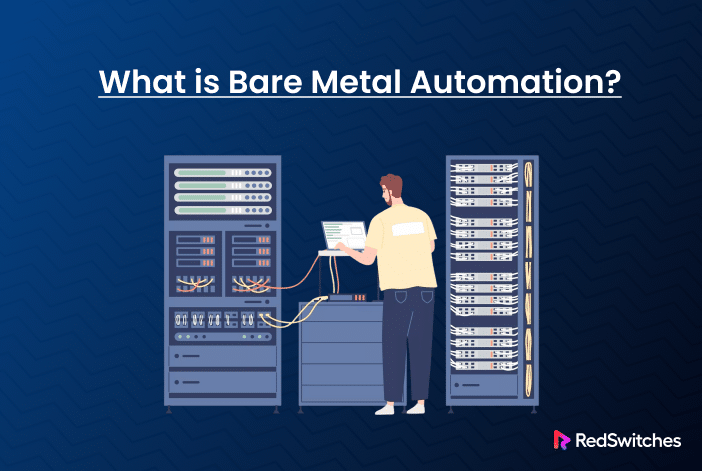
If you’ve read our previous article on GPUs on bare metal servers, you understand why there is a significant shift away from cloud servers toward bare metal infrastructure. The reasons vary:: performance, cost, support, security, and customization.
This increased shift has created a significant challenge for server management engineers in the form of the rapid deployment speed that the clients are accustomed to in cloud environments.
Typically, traditional manual server provisioning requires hours to install, configure, and manage. This is just one area where traditional IT operations need to evolve.
Bare metal automation is the solution to this challenge.
In layman terms, it is the practice of using software tools to automatically provision, configure, and manage physical servers without manual intervention.
It does not just eliminate human errors, but also simplifies deployment and ensures that dedicated hardware resources are utilized to their fullest potential.
In this article, we will discuss what bare metal automation is, its components, benefits, challenges, and use cases.
What is Bare Metal Automation?
Bare metal automation refers to the process of automating the management and deployment of physical servers (bare metal) without the use of virtualization.
The processes involved use software tools to automatically set up, configure, and manage physical server hardware, making it easier and faster to deploy applications and services with minimum human involvement.
What makes bare metal automation different from virtualization or cloud automation is the absence of virtual machines. The virtualization layer can cause overhead and affect performance, which can directly affect environments that require high performance and reliability.
Core Components of Bare Metal Automation
Bare metal automation has the following essential components:
- Provisioning
- Configuration
- Operational Orchestration
- Monitoring
Let’s go into the details of these components.
Provisioning
Provisioning is where automation begins.
As a server maintenance engineer, this is where I start with usually blank hardware and get it to the point where I can begin installing software. Just as the strength of a house is in its foundation, in the case of bare metal automation, provisioning is the foundation of everything that follows.
For instance, consider automated server discovery that automatically identifies and registers new servers on the network. The Preboot Execution Environment (PXE) then allows servers to boot from a network interface, enabling automated installation of operating systems.
In addition, I also consider integrating Redfish and IPMI protocols to facilitate remote management and monitoring. These tools allow for automated control of server power management, health, and configuration. While IPMI is a legacy standard for hardware management, Redfish (a RESTful API) is the modern replacement, offering better scalability and security.
Configuration
Once the servers are provisioned, I go straight into configuration. I use configuration management tools like Ansible, Puppet, and Chef (depending on the project specifications and client’s requirements) to automate the setup and maintenance of server configurations.
These tools allow for automated installation of operating systems and configuration and ensure applications are set up appropriately. This high degree of automating processes reduces manual intervention, resulting in reduced errors and time saving.
Operational Orchestration
Server support engineers (like me) deal with multiple servers at a time. We need an optimized operational orchestration process to manage multiple servers efficiently.
A simple solution is to organize servers into groups for easier management and deployment of updates or changes. Here, I can manage server interactions by automating actions at the group level. To make it better, I can opt for a centralized interface to manage all aspects of the bare metal environment at the group level.
Autonomics and Monitoring
Finally, automation in monitoring is crucial for ensuring everything is running smoothly. By implementing a monitoring and self-healing process, the servers can detect and resolve issues automatically without requiring extensive human intervention. Prometheus and Grafana are popular tools that server management engineers use for monitoring and visualizing server performance and health.
Automated monitoring tools are essential for proactive issue identification. You can take this a step further and connect these tools to actions that fix the identified issues.
Benefits of Bare Metal Automation
After implementing bare metal automation across numerous enterprise environments, these are some benefits I noticed:
- Speed & Performance Gains
- Consistency
- Cost Savings
- Improved Reliability
- Scalability & Flexibility
Speed and Performance Gains
This is one of the remarkable benefits that even clients are surprised to experience. In the pre-automation days, provisioning a single bare metal server was a multi-day process. This includes visiting the data centers, manually installing operating systems, configuring RAID arrays, setting up network connections, and troubleshooting any issues. However, with automation, these processes can be completed in under an hour!
This allows faster deployments, which in turn helps you get your applications and services to market in a shorter frame of time.
Consistency Across Deployments
One of the biggest challenges that I always face in manual deployments is the small inconsistencies that creep in between servers. Even with detailed documentation and checklists, there is always a chance that small errors can cause production outages.
With tools like Terraform, Ansible, and Puppet, I can ensure a consistent and repeatable deployment. In addition, automated deployments are critical in configuration audits and automatic detection (and rectification) of deviations from standard configurations.
Operational Cost Savings
Reduced manual effort and more efficient resource use are two significant factors in reducing operational costs.
Prior to introducing automation in server management, tasks that required 15 to 20 hours now require only 15 to 20 minutes of initial input. You can imagine the savings in time and effort that allow you to check off more important tasks.
It is not just about manual input; there is the element of improved resource efficiency as I can provision exactly the resources needed for each workload without wasting any.
Improved Reliability
Automated monitoring and self-healing processes are game changers in bare metal server management, especially the clients’ operation.
With the automated and self-healing capabilities, issues can be detected early and resolved automatically without human intervention. I can combine several tools to set up a comprehensive monitoring system that tracks infrastructure components and raises automated alerts.
With fewer human errors due to automated systems, there is improved reliability and system stability.
Scalability and Flexibility
When managing large-scale environments or dealing with rapid growth requirements, the scalability feature of automation tools is the main attraction. For instance, in the case of automated scaling, whether it is adding new servers or decommissioning old ones, the action is almost instantaneous.
Adding resources on the fly is another aspect of flexibility introduced by bare metal automation. Server engineers can set up automation that monitors application performance metrics and automatically provisions additional web servers and services when required. The system scales up capacity proactively and scales it back down when demand decreases.
Challenges of Bare Metal Automation
Like the advantages, I have also come across the following challenges in using bare metal automation:
- System Complexity
- Security
- Integration Issues
System Complexity
Dealing with system complexity is a common challenge in server management. Each server request comes with different configurations and hardware components.
This complexity means you need to adjust automation flows and components to fit each scenario. However, bare metal automation tools are very flexible and can be easily customized to accommodate specific requirements in server set up and maintenance.
Security Considerations
Unlike cloud resources, bare metal servers provide isolation, preventing any security issues caused by shared infrastructure risks. However, with bare metal automation, physical access risks are a concern. Physical access risks include firmware vulnerabilities or malicious code injection.
Therefore, strict access controls for automation tools, including multi-factor authentication and role-based permissions, are necessary to maintain the overall server security.
Integration with Other Systems
Integrating automation with existing systems is another interesting challenge in setting up server process automation. Many organizations have legacy systems that weren’t designed for automation, making integration difficult. In such cases, we need to spend a considerable amount of time building custom interfaces or workarounds.
In addition, integrating bare metal automation with cloud and hybrid environments also brings up complexities that require investing additional time and efforts for resolution.
Use Cases for Bare Metal Automation
Now that you have a good idea of the pros and cons, we will now discuss some of the use cases where bare metal automation can make a difference.
Enterprise IT and Data Centers
In enterprise IT and data centers, hundreds of servers need to be provisioned and configured. In such instances, bare metal automation can reduce manual effort, speed up deployment, and ensure consistency and compliance across all servers.
High-Performance Computing (HPC)
When dealing with HPCs, we cannot afford performance degradation. In such instances, VMs can cause virtualization overhead, which simply isn’t acceptable.
Here, bare metal servers provide the computational power necessary for complex simulations and data analysis. They enable organizations to use high core counts and large memory bandwidth, making them ideal for scientific research and large-scale computations. Overheads in manual server management can slow down HPC performance.
Edge Computing
Managing distributed edge infrastructure means managing infrastructure remotely. By using bare metal automation, you can deploy and manage edge servers across multiple locations, ensuring consistent network function configurations and enabling remote troubleshooting.
DevOps and CI/CD Pipelines
As part of supporting development teams, we may have to build and test server environments that need to be identical to production. In such instances, you can provide consistent, repeatable server environments swiftly and more reliably by using bare metal automation.
Large-Scale Application Deployment
When deploying applications across multiple data centers, faster provisioning and consistent configurations across multiple servers is an essential operational requirement. By automating, we can ensure database servers, application hosts, and load balancers are configured identically across all locations.
Server Migration and “Modernization”
Bare metal automation facilitates the migration and modernization of legacy systems by automating the setup of new physical servers and ensuring that applications are configured appropriately and consistently. This helps organizations shift to modern infrastructure without any downtime.
How to Implement Bare Metal Automation
Now, let’s discuss the practical approaches to implementing bare metal automation by leveraging various tools and best practices.
Provisioning Tools
As we discussed earlier, provisioning is the initial step in bare metal automation. For initial server setup, you can use the following provisioning tools and options:
- PXE boot: Preboot Execution Environment (PXE) is a method for network-based server provisioning. It allows servers to boot from a network interface, enabling automated OS installation and configuration.
- Redfish: For modern servers, Redfish APIs are used to manage hardware remotely. You can power servers on/off, configure BIOS settings, mount virtual media, and monitor hardware health all through REST API calls.
- IPMI: While older than Redfish, the Intelligent Platform Management Interface (IPMI) enables remote management and monitoring of hardware. It is particularly used for remote management, troubleshooting, and recovery in legacy hardware environments.
Configuration Management
Once servers are provisioned, the next step is to automate their configuration. It can be done using the following tools.
- Ansible: Ansible automates server configuration and management, ensuring consistent deployments across environments. It is popular due to its simplicity and agentless architecture. Ansible’s agentless architecture is a system design where tasks like monitoring, configuration, or automation are performed without installing additional software. You need to write a playbook and execute it across the infrastructure when you need to update several servers with security patches or configuration changes.
- Puppet: For environments requiring strict compliance and detailed reporting, I use Puppet’s declarative approach. It provides a framework for managing infrastructure as code, allowing for automated configuration and compliance.
- Chef: In development-heavy environments, Chef’s code-driven approach is more helpful than other options. It automates the deployment and management of applications and infrastructure, ensuring that systems are configured appropriately. For more complex or policy-driven environments, I recommend incorporating Puppet and Chef in combination to benefit from the strengths of both tools.
Infrastructure as Code (IaC)
I recommend using Terraform to manage infrastructure. While Terraform is often associated with cloud environments, you can also use it to automate and manage infrastructure, including bare metal. Note that Terraform’s bare metal support depends on providers like MAAS or libvirt, unlike cloud-native integrations.
When used with bare metal, it allows you to define and control physical server resources with code. This means you can write configuration files to describe how physical servers should be provisioned, configured, and integrated into your infrastructure.
API-Driven Management
Modern automation is increasingly API-centric. I leverage APIs for orchestration, which helps me automate tasks such as server deployment, updates, and decommissioning seamlessly. I create scripts and tools that interact with server management controllers using these APIs.
Automated Monitoring and Self-Healing
If you have read the above sections, you will definitely know what automated monitoring and self-healing are. I use these three tools in this context.
- Prometheus: Prometheus is an open-source monitoring tool that collects metrics and provides alerts for system performance. I deploy Prometheus to collect metrics from all my bare metal server deployments. This helps me identify and set up alerts to proactively resolve issues.
- Grafana: Now, Grafana is used to visualize the metrics collected by Prometheus. You can customize dashboards for different stakeholder groups to identify any issues easily.
- Kubernetes Integration for Hybrid Automation: For hybrid and containerized environments, I utilize Kubernetes to orchestrate workloads, automate scaling, and facilitate self-healing processes. This hybrid approach gives me the flexibility of containers while maintaining the performance benefits of bare metal.
Popular Bare Metal Automation Tools
The three major configuration management platforms I utilize are:
- Ansible
- Puppet
- Chef
Let us look into the benefits and use cases of these tools:
Ansible for Bare Metal Automation
Ansible Architecture
Ansible architecture includes the following:
- Control Node: The machine where Ansible is installed and from which commands are executed.
- Inventory: A file that lists the managed nodes (servers) and their details, allowing Ansible to know which machines to manage.
- Managed Nodes: The servers that Ansible manages, which do not require any agent installation due to Ansible’s agentless architecture.
What Ansible Can Be Used For
Ansible can be used for the following:
- Provisioning: Automating the setup of servers and environments.
- Configuration Management: Ensuring that servers are configured consistently and correctly.
- Application Deployment: Streamlining the deployment of applications across multiple servers.
- Continuous Delivery: Facilitating the continuous integration and delivery of software.
- Security Automation: Automating security tasks and compliance checks.
- Orchestration: Coordinating multiple tasks across different systems to achieve complex workflows.
Benefits of Using Ansible
- Agentless Architecture: No need to install agents on managed nodes, reducing overhead. Ansible uses SSH or WinRM for communication, requiring no agents but needing network access to managed nodes.
- Simple Learning Curve: Easy to learn and use, especially with its YAML-based configuration.
- Broad Community Support: A large community provides extensive resources and modules.
- YAML-Based Configuration: Human-readable configuration files make it easier to understand and manage.
Puppet for Bare Metal Automation
Puppet Architecture
- Manifests: Files that define the desired state of the system and how to achieve it.
- Templates: Dynamic files that can be populated with data from Puppet variables.
- Files: Static files that can be managed and distributed to nodes.
- Modules: Collections of manifests, templates, and files that can be reused.
- Certificate Authority: Manages secure communication between the Puppet server and agents.
What Puppet Can Be Used For
- Server Configuration: Automating the configuration of servers to ensure compliance.
- Application Deployment: Streamlining the deployment of applications across environments.
- Patch Management: Automating the application of patches and updates.
- Infrastructure as Code: Managing infrastructure through code for consistency and repeatability.
- DevOps Pipelines: Integrating with CI/CD pipelines for automated deployments.
Benefits of Using Puppet
- Mature Ecosystem: A well-established tool with a rich set of features and modules.
- Strong Compliance & Audit: Built-in features for compliance reporting and auditing.
- Declarative Configuration: Users define the desired state, and Puppet ensures that state is achieved.
- Great for Large-Scale Environments: Designed to manage large numbers of servers efficiently.
Chef for Bare Metal Automation
Chef Architecture
- Chef Workstation: The development environment where cookbooks are created and tested.
- Chef Server: The central hub that stores cookbooks, policies, and metadata.
- Chef Nodes: The servers managed by Chef that apply configurations from the Chef server.
- Cookbooks: Collections of recipes, metadata, attributes, resources, templates, and libraries that define how to configure systems.
What Chef Can Be Used For
- Infrastructure Automation: Automating the provisioning and management of infrastructure.
- Configuration Management: Ensuring systems are configured correctly and consistently.
- Code-Based Infrastructure: Managing infrastructure through code for better control and versioning.
- Deployment Automation: Streamlining the deployment of applications and services.
- DevOps Collaboration: Facilitating collaboration between development and operations teams.
- Cloud & Hybrid Infrastructure Automation: Managing both cloud and on-premises resources seamlessly.
- Automated Configuration Enforcement: Ensuring compliance with defined configurations.
Benefits of Using Chef
- Strong CI/CD Integration: Works well with continuous integration and delivery pipelines.
- Flexible Programming Model: Uses Ruby-based DSL, allowing for complex configurations.
- Scales to Complex Environments: Designed to handle large and complex infrastructures.
- Excellent Compliance & Security Tools: Provides tools for ensuring compliance and security across environments.
Glossary of Bare Metal Automation Terms
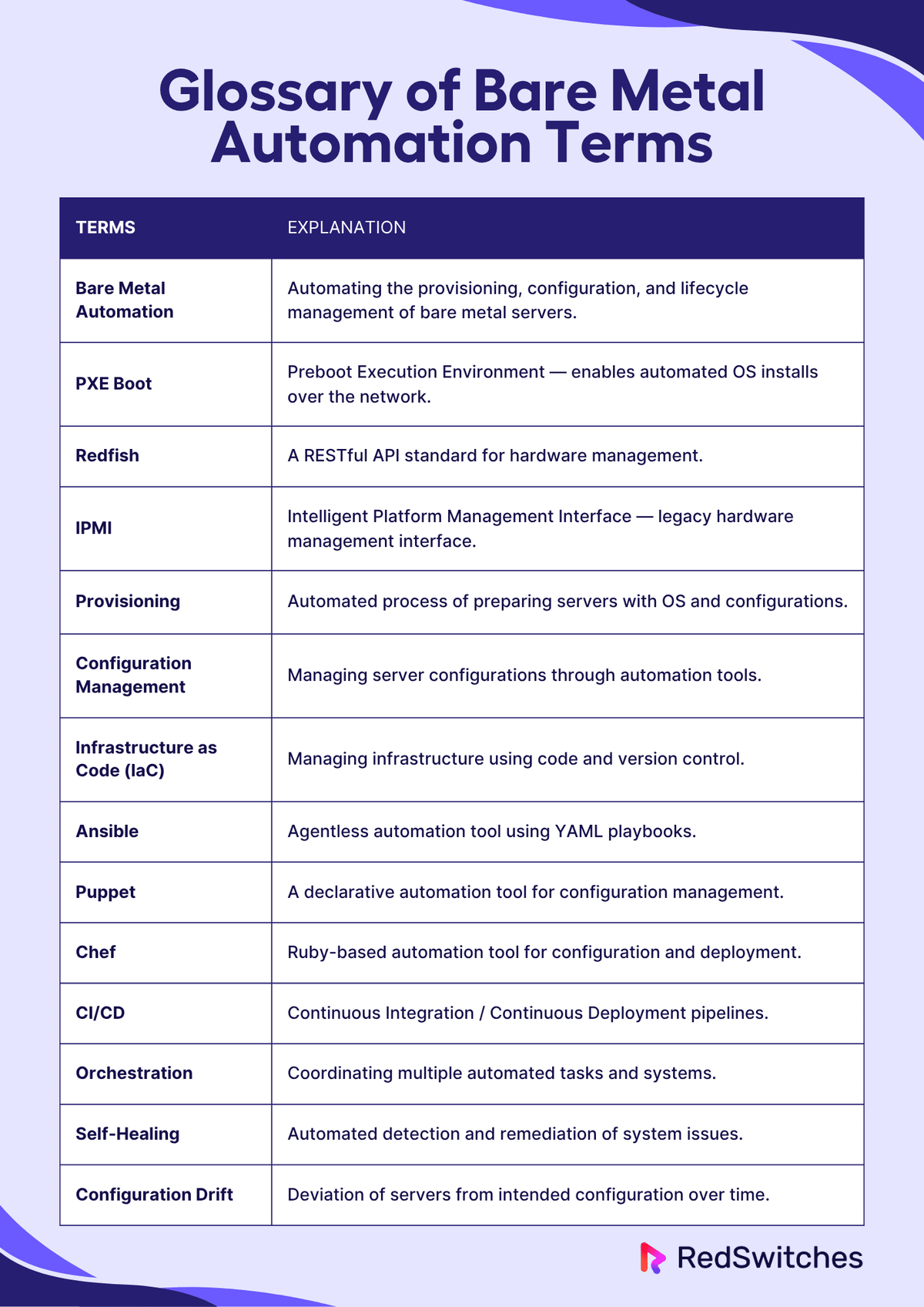
- Bare Metal Automation: Automating the provisioning, configuration, and lifecycle management of bare metal servers.
- PXE Boot: Preboot Execution Environment — enables automated OS installs over the network.
- Redfish: A RESTful API standard for hardware management.
- IPMI: Intelligent Platform Management Interface — legacy hardware management interface.
- Provisioning: Automated process of preparing servers with OS and configurations.
- Configuration Management: Managing server configurations through automation tools.
- Infrastructure as Code (IaC): Managing infrastructure using code and version control.
- Ansible: Agentless automation tool using YAML playbooks.
- Puppet: A declarative automation tool for configuration management.
- Chef: Ruby-based automation tool for configuration and deployment.
- CI/CD: Continuous Integration / Continuous Deployment pipelines.
- Orchestration: Coordinating multiple automated tasks and systems.
- Self-Healing: Automated detection and remediation of system issues.
- Configuration Drift: Deviation of servers from intended configuration over time.
Conclusion
Bare metal automation has transformed the way the infrastructure is managed. What used to take days of manual configuration and troubleshooting now happens in minutes with consistent, reliable results.
The future of infrastructure management is clearly automated, and as server support engineers, we have the opportunity to lead this transformation.
FAQs****What is bare metal automation and how does it work?
Bare metal automation is the process of provisioning, configuring, and managing physical servers automatically, without manual intervention. It works by using tools and protocols, like PXE boot, IPMI, Redfish, and RESTful APIs, to remotely install operating systems, apply configurations, and integrate servers into your infrastructure.
What are the key benefits of automating bare metal servers?
- Speed: Rapid server provisioning and configuration
- Consistency: Reduced human error and repeatable setups
- Efficiency: Full utilization of dedicated hardware
- Scalability: Infrastructure managed like code
- Security: Controlled environments with minimal external dependencies
How is bare metal automation different from cloud automation?
While both aim to streamline infrastructure management, cloud automation deals with virtual resources that are abstracted and elastic. Bare metal automation manages real, physical machines, offering better performance, isolation, and control—but often requires deeper hardware integration and planning.
What tools are best for bare metal server automation?
Popular tools include:
- Terraform – Infrastructure as Code for provisioning
- Ansible – Agentless configuration management
- MAAS – Bare metal provisioning at scale
- IPMI/Redfish – Remote hardware control
- iPXE/PXE – Network-based booting for OS deployment
What are the main challenges of automating bare metal infrastructure?
The main challenges include:
- Hardware variability and vendor-specific interfaces
- Slower provisioning compared to virtual machines
- Initial setup complexity (e.g., networking, boot services)
- Lack of elasticity—requires physical capacity planning
- Integration effort—more hands-on than cloud APIs
Manasa M
Technical Content Editor
Manasa is a Technical Content Editor at RedSwitches, known for turning complex technical concepts into clear, engaging content. With a background in copy editing, sub-editing, and technical writing, she shapes the blog's guides for accuracy, readability, and search performance.
BeamMP Dedicated Server Setup Guide (2026)
Build and host a reliable BeamMP dedicated server on Windows or Linux with setup, configuration, optimization, security, and troubleshooting guidance.
ASKA Dedicated Server Setup Guide: 2026
Learn how to successfully install, configure, secure, and troubleshoot an ASKA dedicated server for smooth, persistent multiplayer hosting in 2026.
Wreckfest 2 Dedicated Server Setup Guide 2026
Build a reliable Wreckfest 2 dedicated server with clear, practical steps for 2026 covering installation, configuration, ports, optimization, and troubleshooting.
Power Your Next Project With Bare Metal
10 min delivery, zero setup fees, and 24/7/365 human engineers across 20+ global locations.